
-
SnapOS
-
-
- Articles coming soon
-
-
-
- Citrix HDX + USB Headset (Call-Center Baseline)
- OS/Firmware Update & Rollback
- Power Management and Session State
- Wi-Fi Roaming & Link Change Mid-Session
- Kiosk / Assigned-Access Auto-Launch
- Barcode Scanner (HID) with Line-of-Business App
- Printing to Local USB & Network Printers
- USB Device Management – Block Storage
- Multi-Monitor & 4K Performance
- Microsoft AVD/RDP + Teams Optimized Video
- VMware Horizon + Smart Card / CAC Login
-
-
-
-
zWAN
-
-
-
-
- Firewall & Layer 7 Application Filtering
- VPN Site-to-Site Tunnel Setup & Connectivity (z40 to Cloud vGR)
- Intrusion Prevention System (IPS) / Intrusion Detection System (IDS) Testing
- DNS Filtering
- DDoS Protection & Logging
- MAC Address Filtering & Geo-fencing
- Application Control & Protocol Blocking
- Authentication & Access Control (zID)
-
- WAN Link Failover & Load Balancing (ACI Mode)
- Dynamic Path Selection & Application-Aware Routing
- SaaS & Internet Breakout Validation
- QoS for Microsoft Teams (Datacenter vGR + Branch z40)
- Tunnel Failover (z40 ↔ vGR) — WAN00 (wired) primary, WAN03 (4G) & WAN04 (5G) backups
- IP Routing & Static Route Steering (z40 Branch)
- VLAN & Layer-2 Bridging
-
-
-
-
-
-
- Articles coming soon
-
- Articles coming soon
-
-
-
- Articles coming soon
-
- Articles coming soon
-
-
-
-
-
-
- Articles coming soon
-
- Articles coming soon
-
- Articles coming soon
-
- Articles coming soon
-
-
-
-
-
- Articles coming soon
-
- Articles coming soon
-
- Articles coming soon
-
- Articles coming soon
-
-
-
-
-
- Articles coming soon
-
- Articles coming soon
-
- Articles coming soon
-
- Articles coming soon
-
-
- Articles coming soon
-
- IPsec Tunnel not Establishing
- SSL-VPN Tunnel not Establishing
- Mobile Network Issues
- Management Tunnel does not Establish
- DNS not Resolving from Local Network Appliance
- DNS Resolution Issues in Tunnel Configuration
- DHCP Server not Leasing IP to LAN PC
- Debugging EC Events - Unknown Status Issue
- Trusted-MAC Geofencing Issues
- DNS Issues from DC LAN PC
- Troubleshooting LAN Connectivity to Internet via WAN, Remote Branch LAN, or Local Branch LAN
- NetBalancer gateways displaying Faulty/Inactive
- Packet Drop Issues
-
-
zAccess
-
StorTrends
SaaS Apps
SAAS breakout
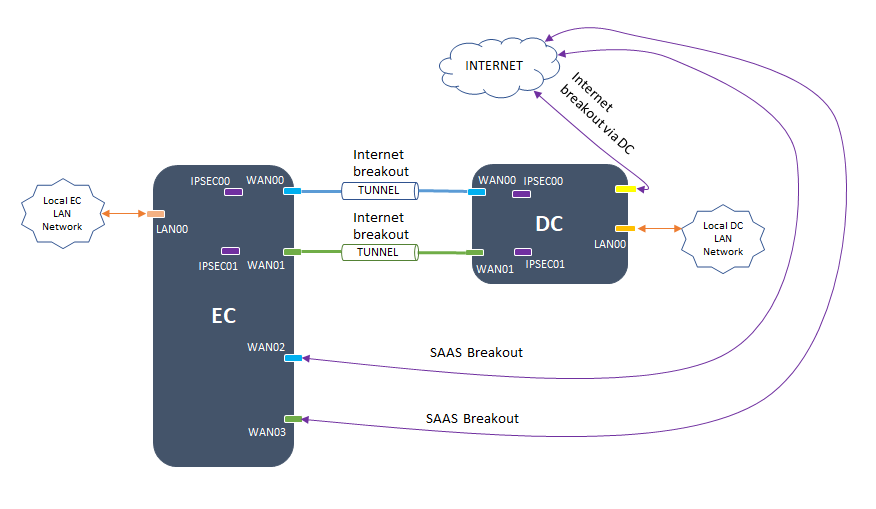
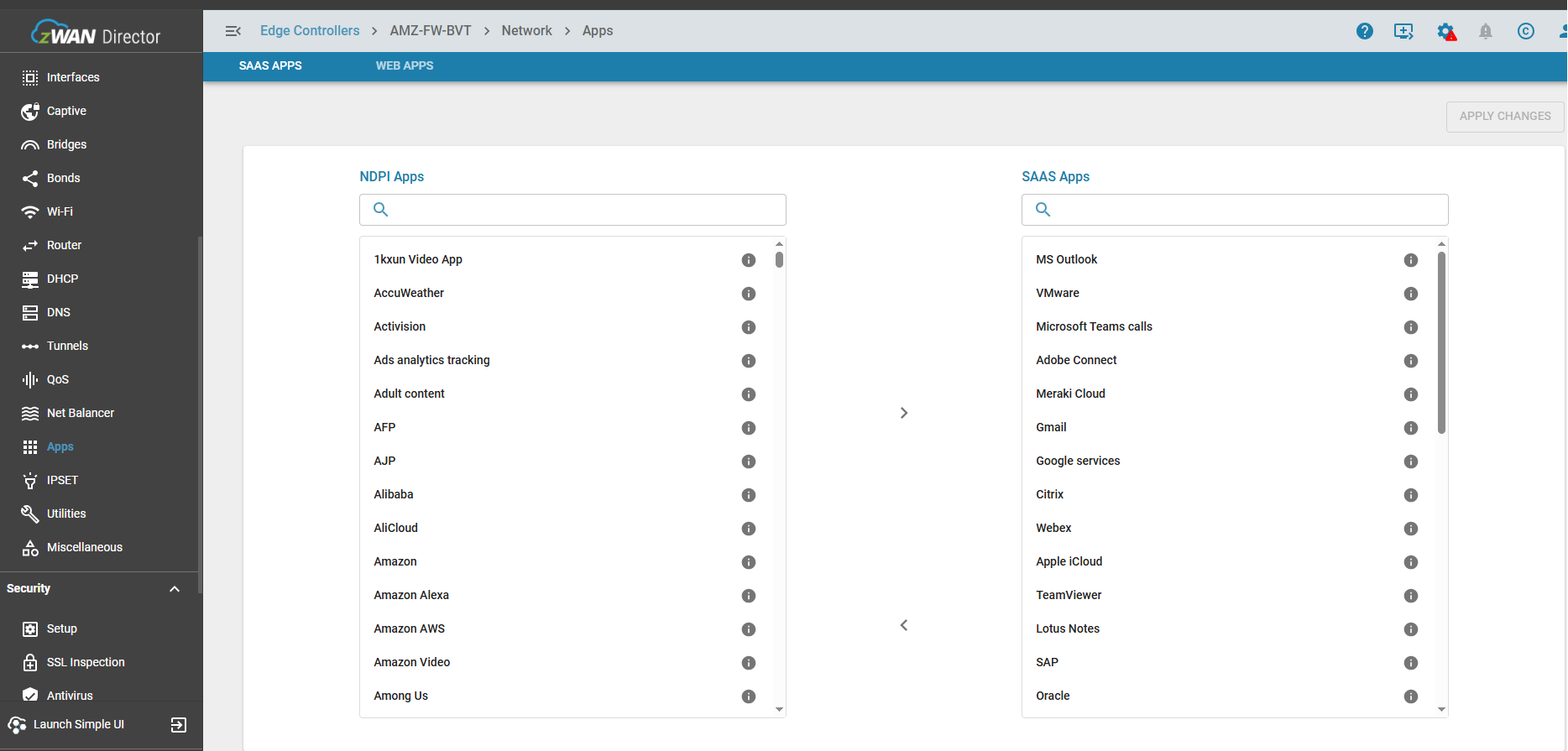
SAAS apps can be configured via the SAAS apps page. This is a selection from the nDPI apps. The user is given the flexibility to determine which app can be trusted or not. Once configured any application designated as a SAAS app, when detected is sent via the SAAS breakout gateway.
Internet breakout and SAAS breakout can share the same interfaces. SAAS breakout can be created only using interfaces designated as WAN.
*Please note nDPI detection can happen for the first packet or later in the flow, but deciding a gateway or interface can happen only if the application determination can be made from the first packet. As nDPI is only for internet applications maintaining the flow is very important so as to not break the NAT connections. First packet application detection can only have from an IP database. For example a TLS application flow can be detected after about 11 packets. So here packet redirection will not work even though the app was detected later on.
Deployment Methods
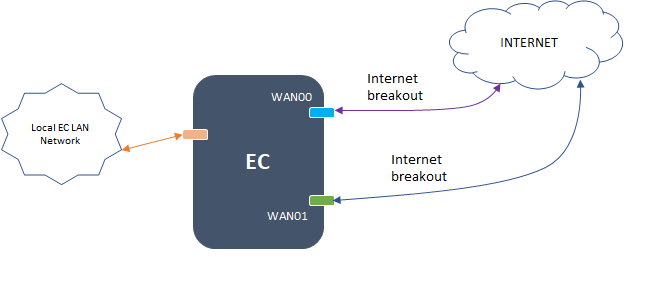
Local Internet breakout in a standalone deployment
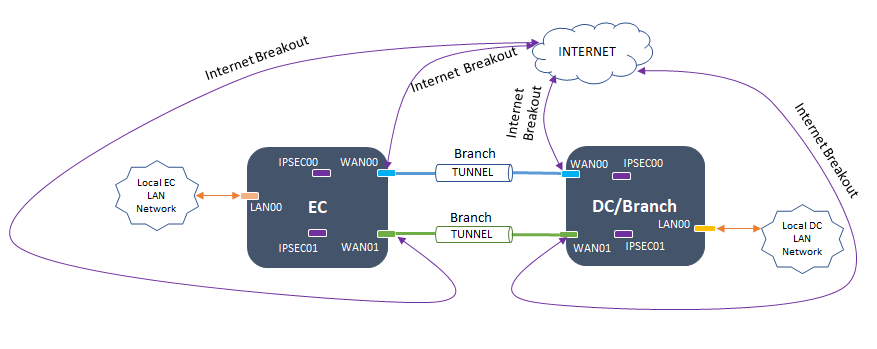
Local Internet breakout with Shared WAN Interfaces for Branch Traffic to DC / Branch
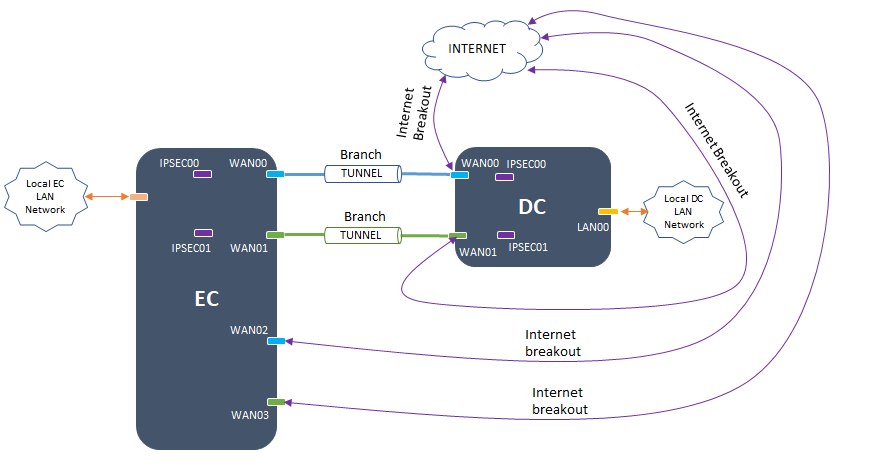
Separate WAN Interfaces for Internet and Tunnel Traffic
Internet breakout via DC, with local SAAS Breakout on shared WAN interfaces
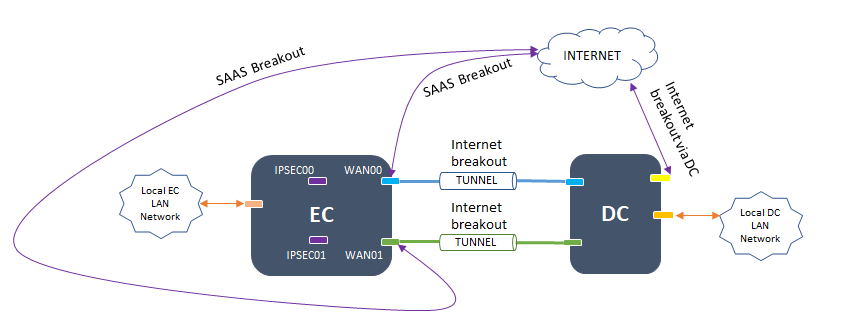
Internet breakout via DC, with local SAAS Breakout on separate WAN interfaces
Configuration Parameters
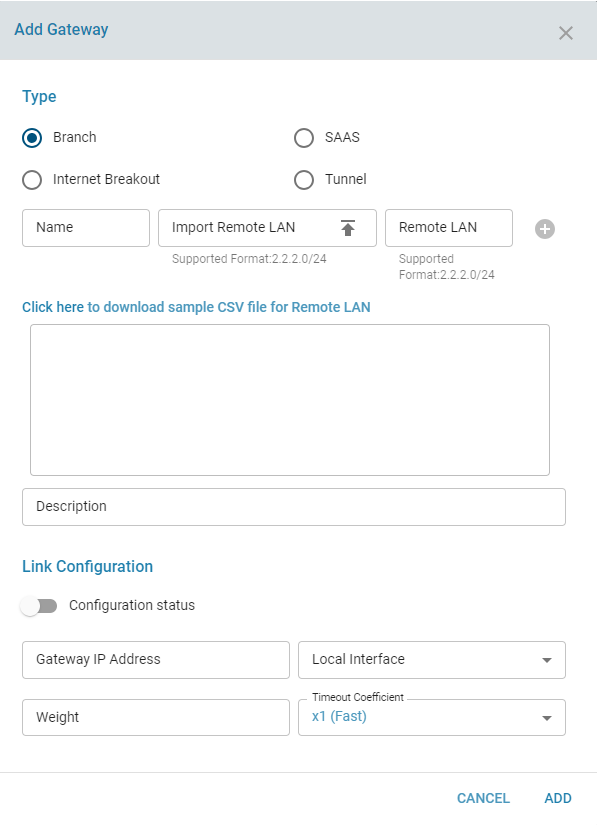
Add a Load Balancer gateway
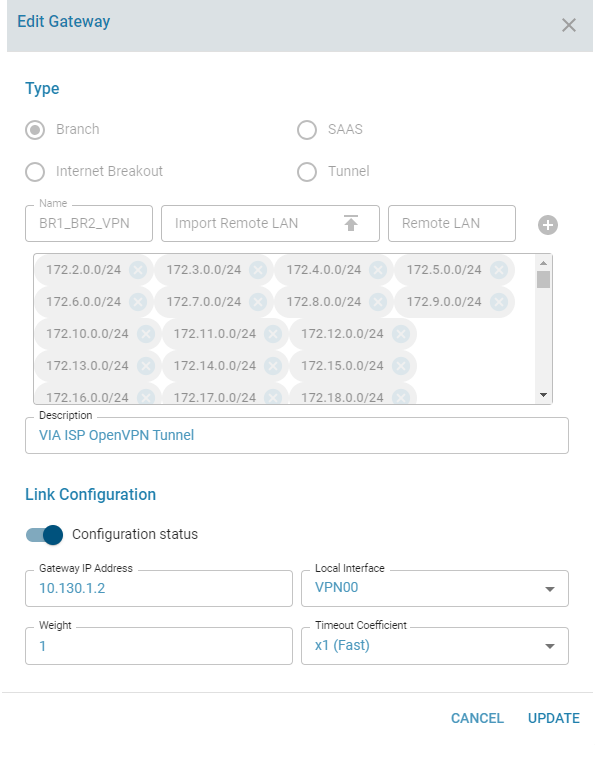
Edit a Load Balancer gateway
View the branch subnets configured for a single branch
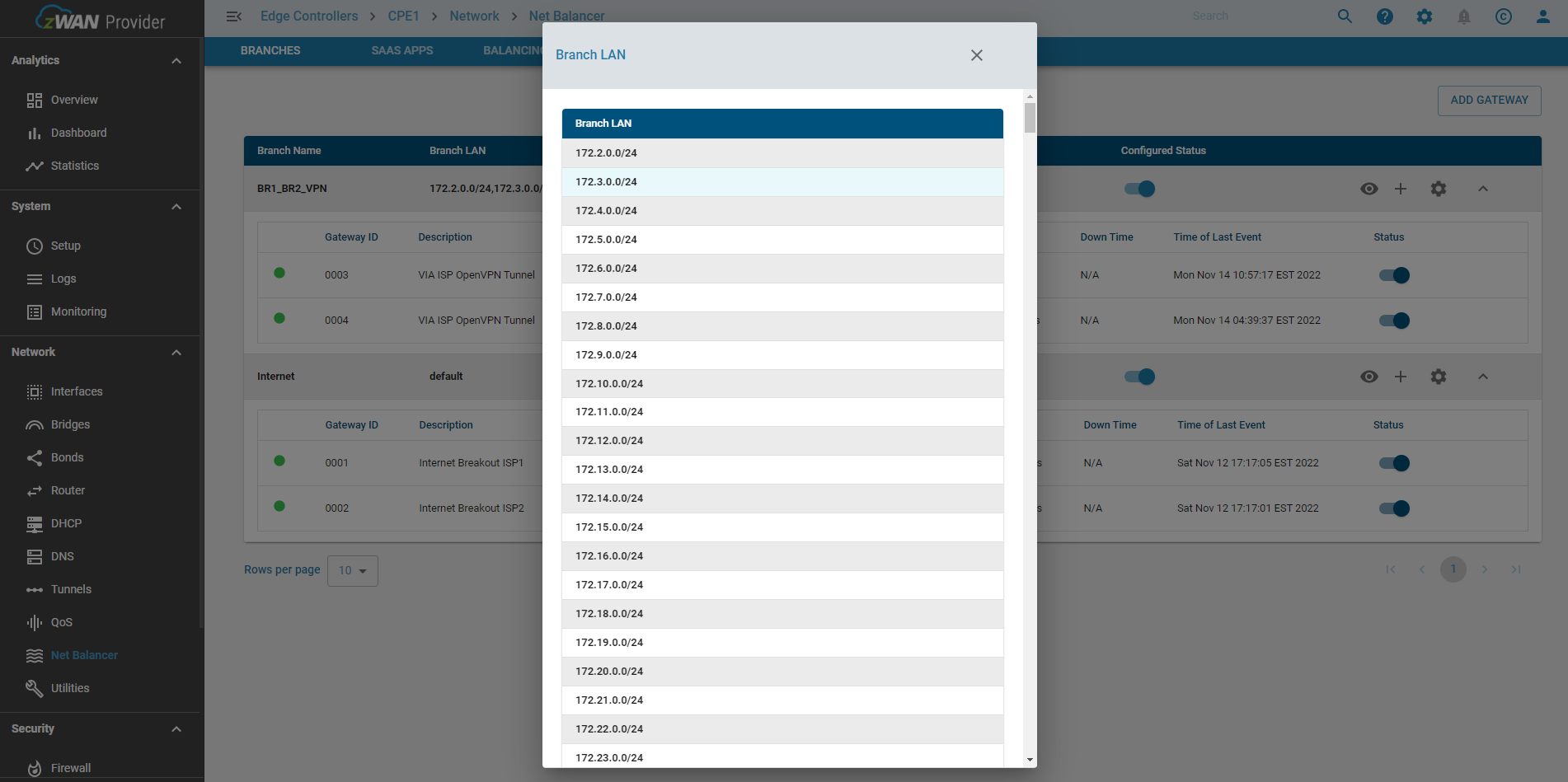
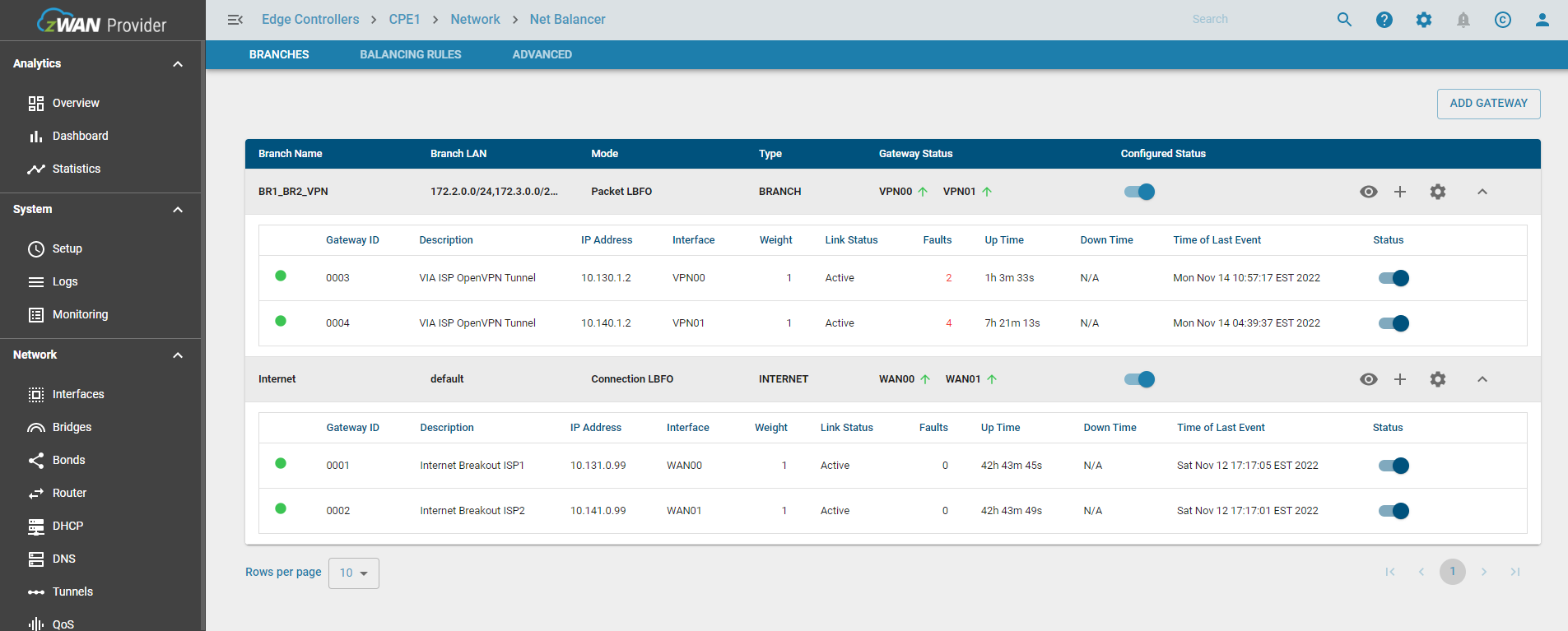
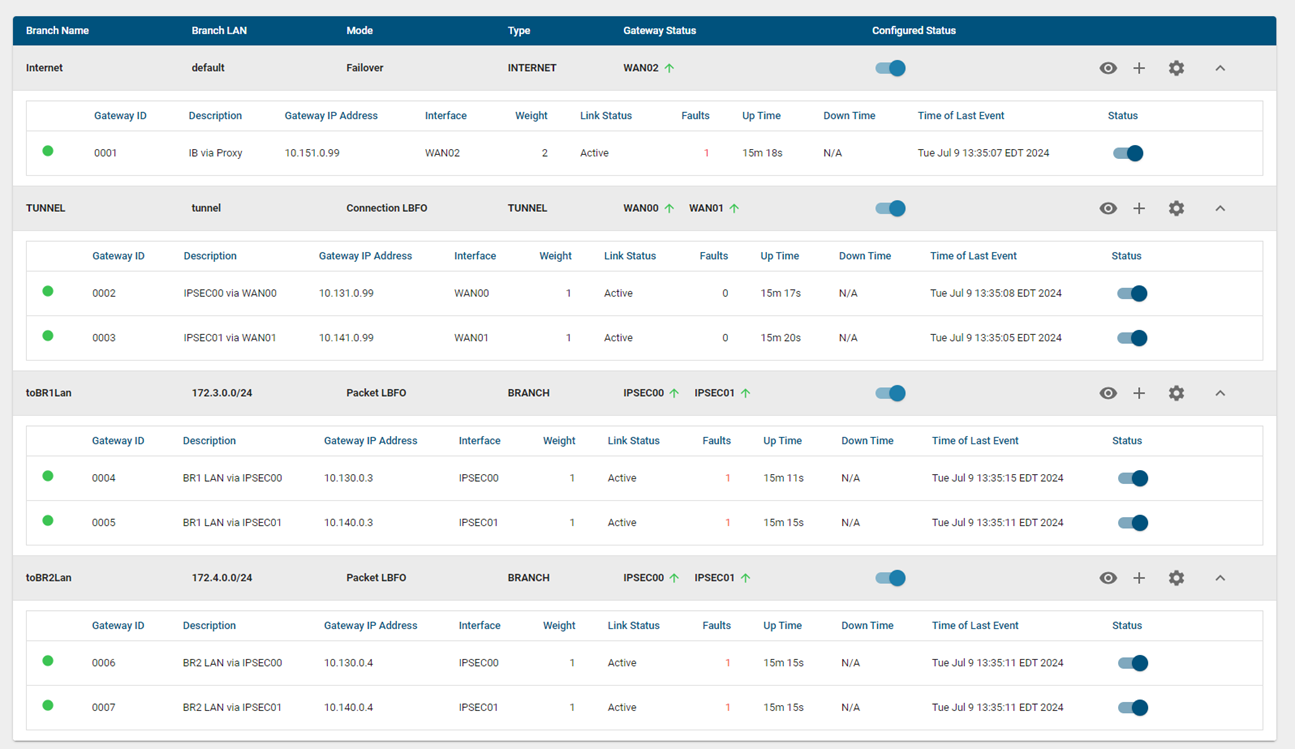
View the Load Balancer gateways
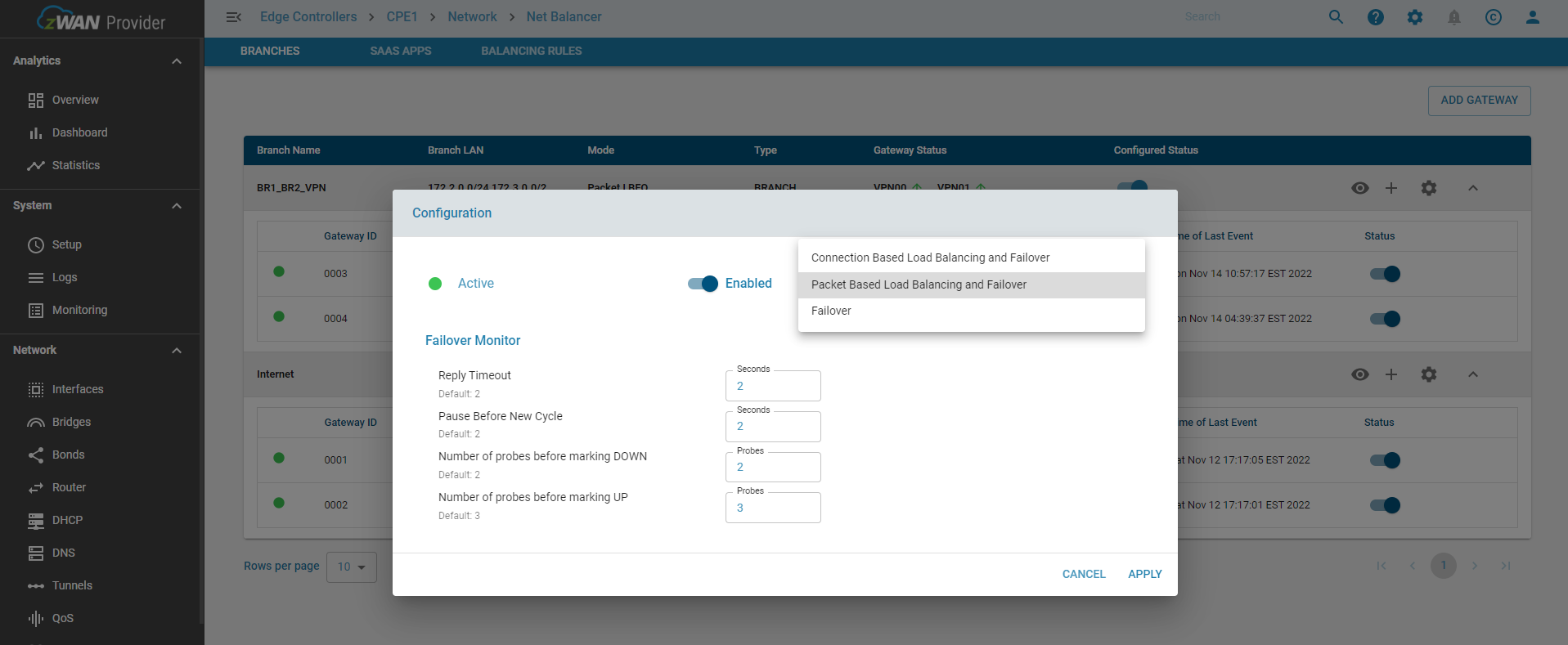
Configure the Load Balancer
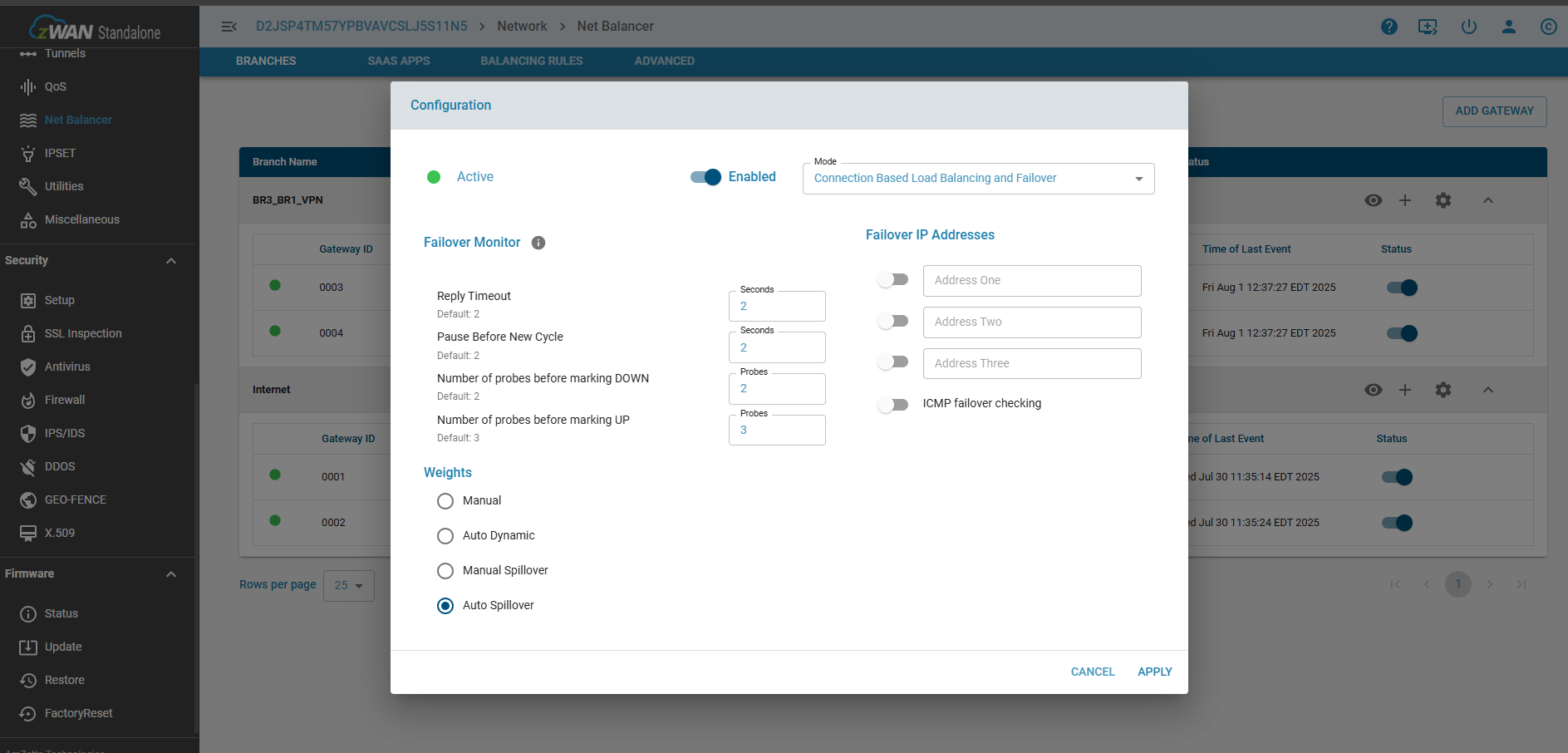
Spillover or Dynamic Rebalancing Configuration
Configure SAAS apps
Tunnel Breakout Configuration
Advanced
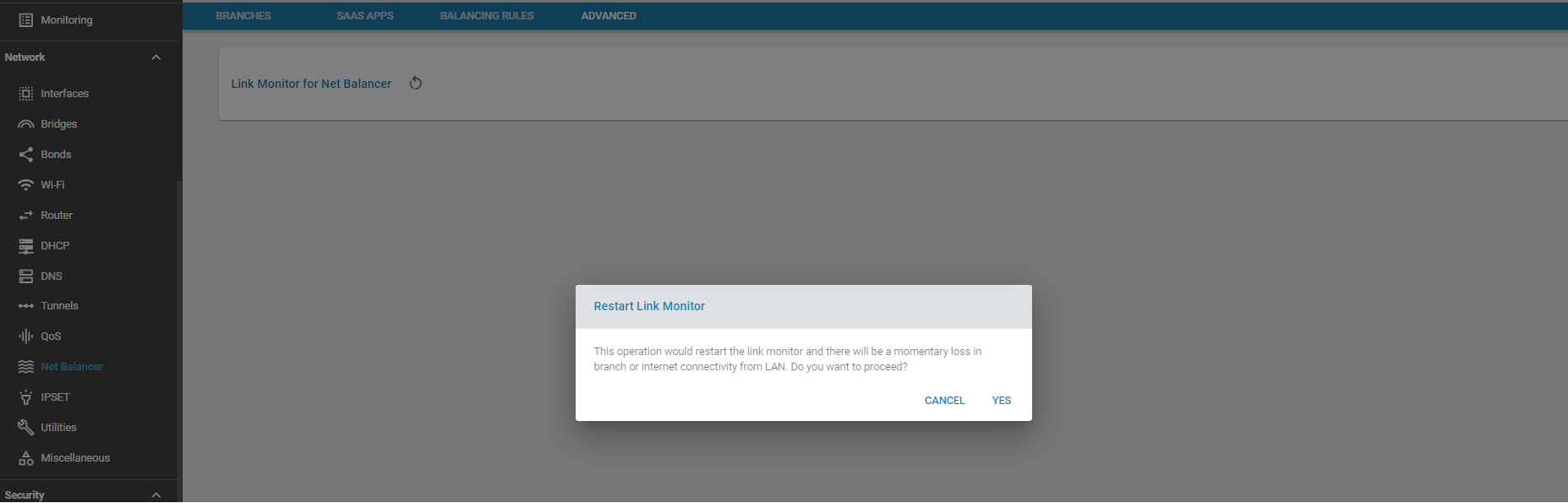
For troubleshooting purposes, when failures or routing updates are not being acted upon, the Load Balancer link monitor can be restarted. Please note that this operation will result in a momentary loss of branch and internet connecitivity from the LAN. This is an alternative to rebooting the Edge Controller itself
Use Cases:
To classify and steer traffic over dedicated links.
Known Limitations:
- Editing the remote LAN is not supported
- The number of gateways supported depends on the underlying hardware