-
SnapOS
-
-
- Articles coming soon
-
-
-
- Citrix HDX + USB Headset (Call-Center Baseline)
- OS/Firmware Update & Rollback
- Power Management and Session State
- Wi-Fi Roaming & Link Change Mid-Session
- Kiosk / Assigned-Access Auto-Launch
- Barcode Scanner (HID) with Line-of-Business App
- Printing to Local USB & Network Printers
- USB Device Management – Block Storage
- Multi-Monitor & 4K Performance
- Microsoft AVD/RDP + Teams Optimized Video
- VMware Horizon + Smart Card / CAC Login
-
-
-
-
zWAN
-
-
-
-
- Firewall & Layer 7 Application Filtering
- VPN Site-to-Site Tunnel Setup & Connectivity (z40 to Cloud vGR)
- Intrusion Prevention System (IPS) / Intrusion Detection System (IDS) Testing
- DNS Filtering
- DDoS Protection & Logging
- MAC Address Filtering & Geo-fencing
- Application Control & Protocol Blocking
- Authentication & Access Control (zID)
-
- WAN Link Failover & Load Balancing (ACI Mode)
- Dynamic Path Selection & Application-Aware Routing
- SaaS & Internet Breakout Validation
- QoS for Microsoft Teams (Datacenter vGR + Branch z40)
- Tunnel Failover (z40 ↔ vGR) — WAN00 (wired) primary, WAN03 (4G) & WAN04 (5G) backups
- IP Routing & Static Route Steering (z40 Branch)
- VLAN & Layer-2 Bridging
-
-
-
-
-
-
- Articles coming soon
-
-
-
-
- Articles coming soon
-
- Articles coming soon
-
-
-
-
-
-
- Articles coming soon
-
- Articles coming soon
-
- Articles coming soon
-
- Articles coming soon
-
-
-
-
-
- Articles coming soon
-
- Articles coming soon
-
- Articles coming soon
-
- Articles coming soon
-
-
-
-
-
- Articles coming soon
-
- Articles coming soon
-
- Articles coming soon
-
- Articles coming soon
-
-
- Articles coming soon
-
- IPsec Tunnel not Establishing
- SSL-VPN Tunnel not Establishing
- Mobile Network Issues
- Management Tunnel does not Establish
- DNS not Resolving from Local Network Appliance
- DNS Resolution Issues in Tunnel Configuration
- DHCP Server not Leasing IP to LAN PC
- Debugging EC Events - Unknown Status Issue
- Trusted-MAC Geofencing Issues
- DNS Issues from DC LAN PC
- Troubleshooting LAN Connectivity to Internet via WAN, Remote Branch LAN, or Local Branch LAN
- NetBalancer gateways displaying Faulty/Inactive
- Packet Drop Issues
-
-
zAccess
-
StorTrends
SSL Inspection
SSL Inspection – Concept Overview
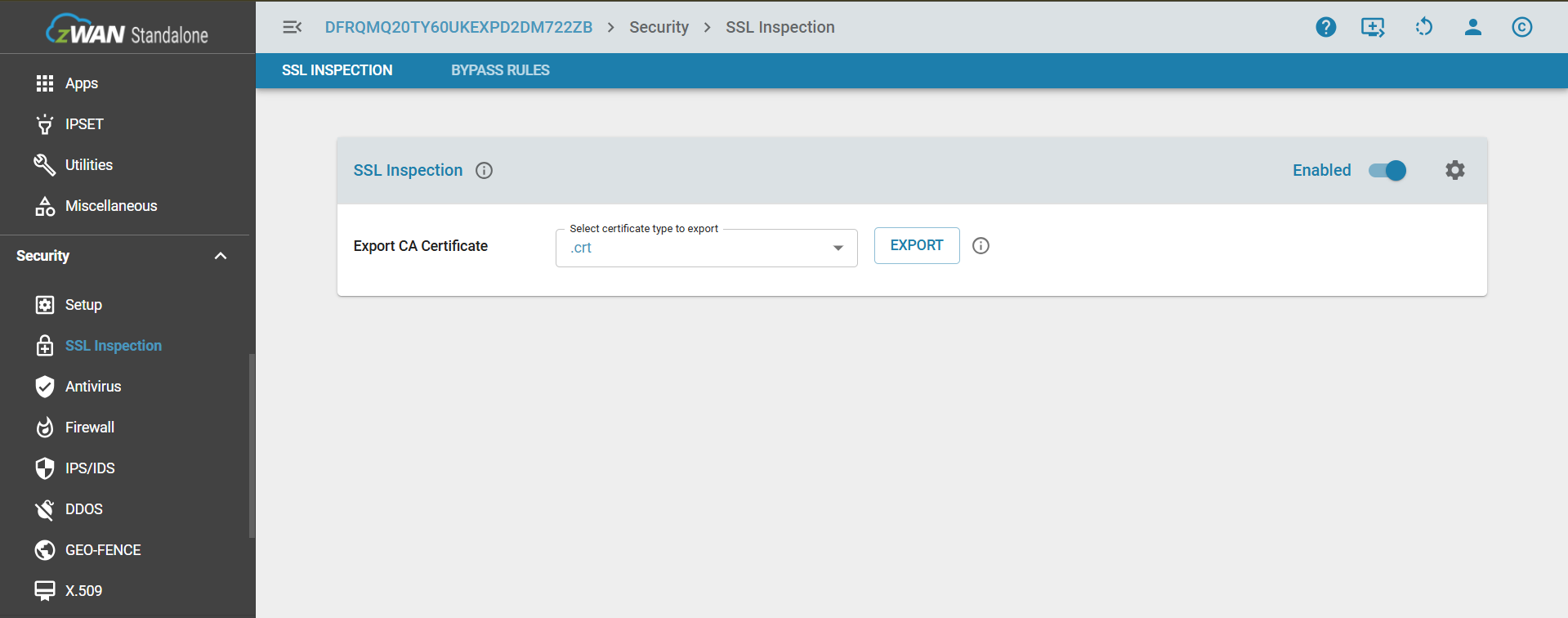
SSL Inspection is a security feature that allows the zWAN Standalone appliance to intercept, decrypt, and inspect HTTPS traffic in real time. By enabling SSL Inspection, the appliance connected with client uses a trusted certificate to decrypt SSL/TLS traffic, allowing internal modules such as antivirus scanning, URL filtering, and traffic logging to analyze the data. In the Advanced Settings, the Workers parameter is used to determine the number of processes running on behalf of the main Squid process—for example, setting Workers to 3 means Squid will create an additional 2 processes and distribute them across 3 CPU cores. This setting optimizes CPU utilization and enhances performance during SSL traffic inspection.
Core Concept
When SSL Inspection is enabled:
Enabling SSL Inspection in the zWAN Standalone system activates a proxy-based interception mechanism powered by Squid to handle encrypted HTTPS traffic. When enabled, export the certificate and push it to the client system that is connected to the host machine using a Microsoft tool; refer to the SSL Certification Import to Clients for detailed steps. This decrypted traffic is then inspected by integrated security features such as antivirus scanning and URL filtering, while logging captures relevant metadata for auditing. Once the inspection is complete, the traffic is securely re-encrypted and forwarded to its original destination, ensuring that users benefit from enhanced security without disruption.In the Advanced Settings, the Workers parameter defines the number of Squid processes used for SSL inspection. For example, setting Workers to 3 creates two additional processes distributed across 3 CPU cores. This setting helps optimize CPU utilization and improve performance under high traffic loads.
When SSL Inspection is disabled:
SSL Inspection being disabled means the appliance does not decrypt HTTPS traffic, allowing SSL sessions to remain fully end-to-end between the client and the destination server. Antivirus scanning on encrypted traffic is not performed, which means potential threats hidden within HTTPS content may go undetected. URL filtering is limited to domain-level checks based on DNS information, without visibility into full URL paths. The appliance forwards the traffic transparently, functioning as a basic proxy or router without modifying or inspecting the encrypted data. No certificate insertion or interception takes place on the client side, and Advanced Settings, including the Workers parameter, have no effect since no SSL inspection processing occurs
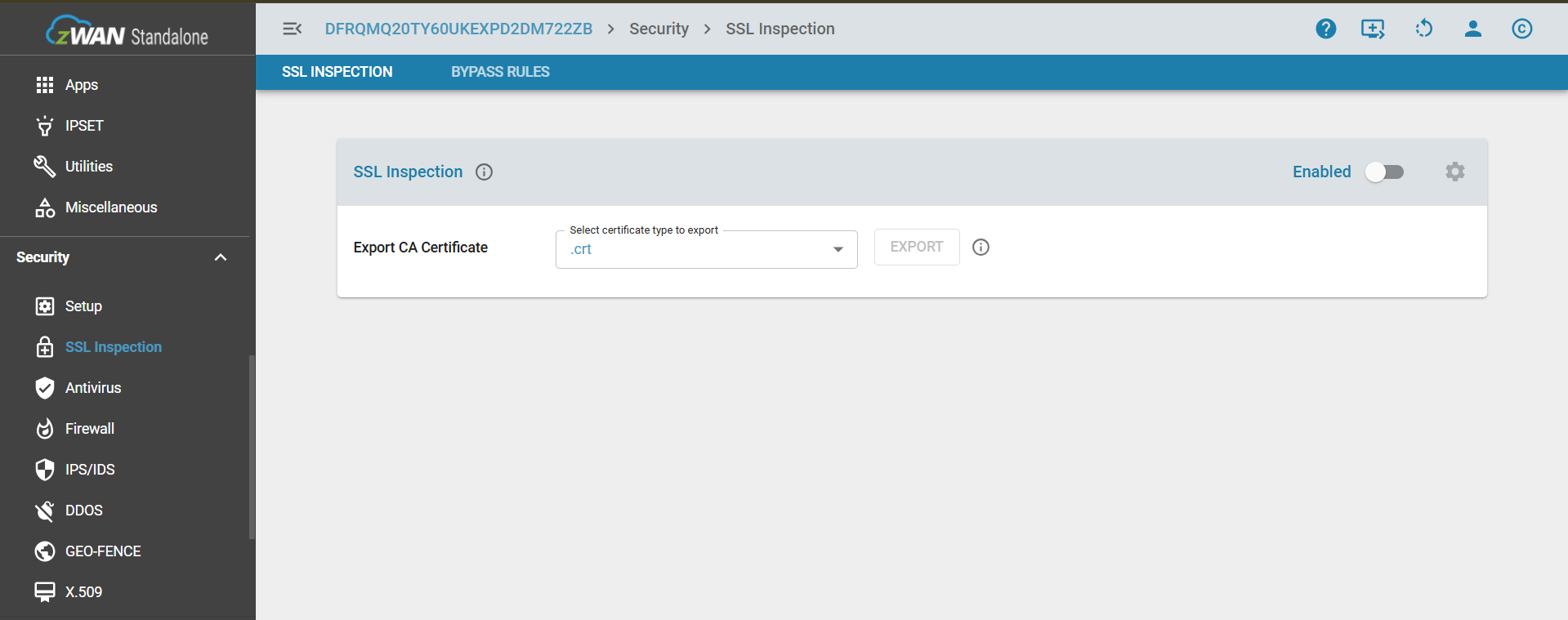
Note:
- First-time enablement: Enabling SSL Inspection for the first time takes approximately 12 seconds.
- Switching SSL from OFF to ON when AV is already ON: This operation takes approximately 35–40 seconds because it requires restarting both the Proxy and Antivirus (AV) engines.
Bypass Rules
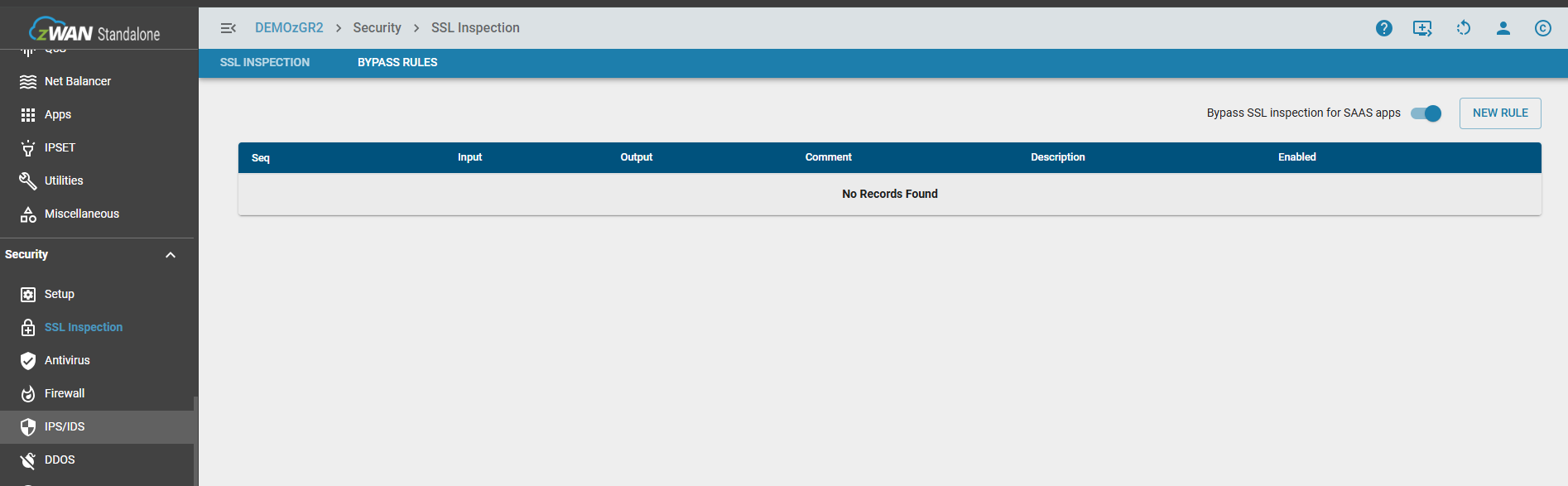
While SSL inspection is vital for detecting threats hidden in encrypted traffic, exceptions must be made for several common scenarions. These could be technical compatibilty issues, Legal and Regulatory Compliance, & Performance and reliability. So this configuration setting similar to a firewall rule, allows to add rules to bypass packets being inspected. The bypass can be performed based on IP, FQDN, Application, & Web Categories.
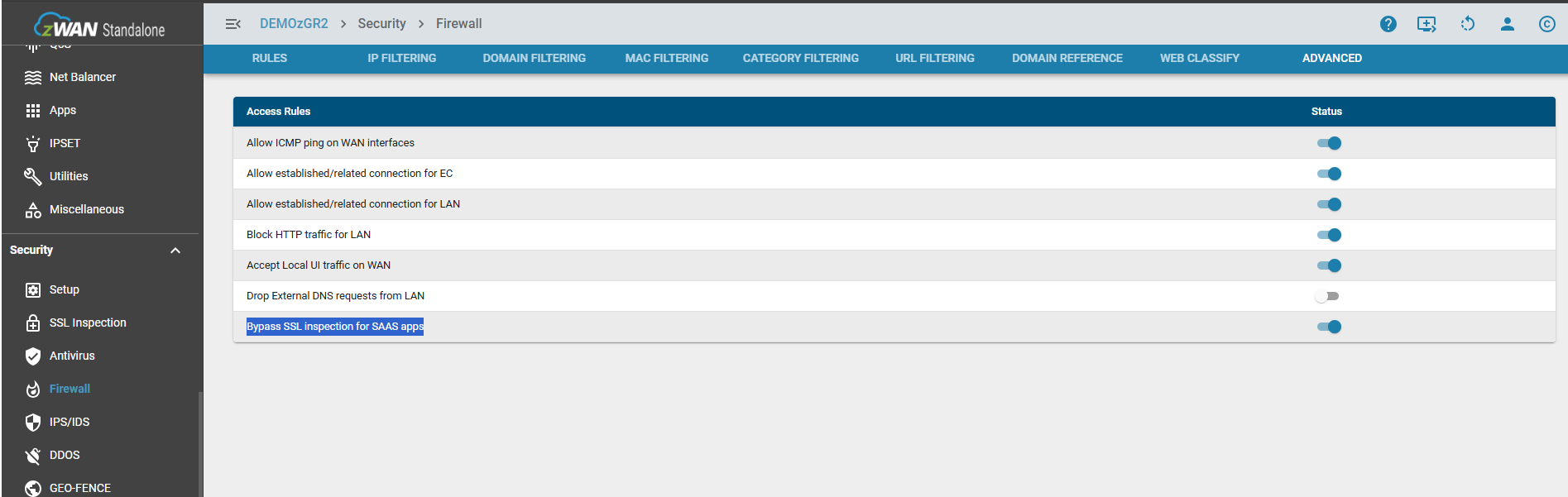
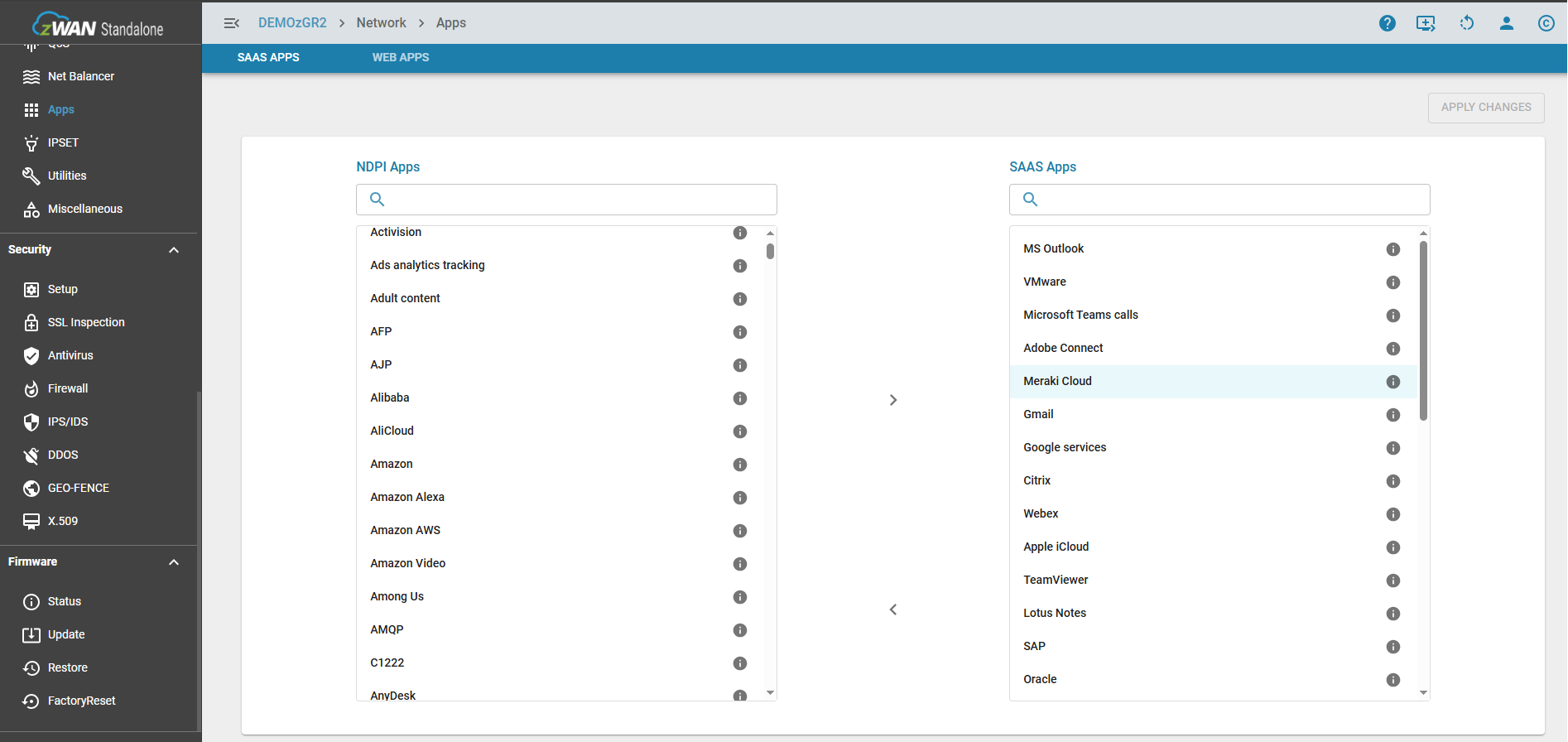
Additionally any apps defined as SAAS, can be bypassed by the flip of a switch. For example Microsoft strongly recommends bypassing SSL inspection (or SSL Bumping) for Microsoft Teams and other Microsoft 365 services to ensure optimal performance, reliability, and security. This can be done either from the Bypass Rules page or from Firewall->Advanced