-
SnapOS
-
-
- Articles coming soon
-
-
-
- Citrix HDX + USB Headset (Call-Center Baseline)
- OS/Firmware Update & Rollback
- Power Management and Session State
- Wi-Fi Roaming & Link Change Mid-Session
- Kiosk / Assigned-Access Auto-Launch
- Barcode Scanner (HID) with Line-of-Business App
- Printing to Local USB & Network Printers
- USB Device Management – Block Storage
- Multi-Monitor & 4K Performance
- Microsoft AVD/RDP + Teams Optimized Video
- VMware Horizon + Smart Card / CAC Login
-
-
-
-
zWAN
-
-
-
-
- Firewall & Layer 7 Application Filtering
- VPN Site-to-Site Tunnel Setup & Connectivity (z40 to Cloud vGR)
- Intrusion Prevention System (IPS) / Intrusion Detection System (IDS) Testing
- DNS Filtering
- DDoS Protection & Logging
- MAC Address Filtering & Geo-fencing
- Application Control & Protocol Blocking
- Authentication & Access Control (zID)
-
- WAN Link Failover & Load Balancing (ACI Mode)
- Dynamic Path Selection & Application-Aware Routing
- SaaS & Internet Breakout Validation
- QoS for Microsoft Teams (Datacenter vGR + Branch z40)
- Tunnel Failover (z40 ↔ vGR) — WAN00 (wired) primary, WAN03 (4G) & WAN04 (5G) backups
- IP Routing & Static Route Steering (z40 Branch)
- VLAN & Layer-2 Bridging
-
-
-
-
-
-
- Articles coming soon
-
-
-
-
- Articles coming soon
-
- Articles coming soon
-
-
-
-
-
-
- Articles coming soon
-
- Articles coming soon
-
- Articles coming soon
-
- Articles coming soon
-
-
-
-
-
- Articles coming soon
-
- Articles coming soon
-
- Articles coming soon
-
- Articles coming soon
-
-
-
-
-
- Articles coming soon
-
- Articles coming soon
-
- Articles coming soon
-
- Articles coming soon
-
-
- Articles coming soon
-
- IPsec Tunnel not Establishing
- SSL-VPN Tunnel not Establishing
- Mobile Network Issues
- Management Tunnel does not Establish
- DNS not Resolving from Local Network Appliance
- DNS Resolution Issues in Tunnel Configuration
- DHCP Server not Leasing IP to LAN PC
- Debugging EC Events - Unknown Status Issue
- Trusted-MAC Geofencing Issues
- DNS Issues from DC LAN PC
- Troubleshooting LAN Connectivity to Internet via WAN, Remote Branch LAN, or Local Branch LAN
- NetBalancer gateways displaying Faulty/Inactive
- Packet Drop Issues
-
-
zAccess
-
StorTrends
DDOS Configuration
Overview:
An IPv6 DDoS attack is a cyberattack where a malicious actor floods a target system or network with a massive amount of traffic using IPv6 addresses. This overwhelms the target, making it unavailable to legitimate users.
Increased address space: IPv6 offers a vastly larger address space compared to IPv4, making it easier for attackers to generate a massive amo
unt of traffic.
Bypass traditional defenses: Some traditional security measures may not be fully equipped to handle IPv6 traffic, leaving systems vulnerable.
Functionality:
- DDoS protection can be globally enabled or disabled.
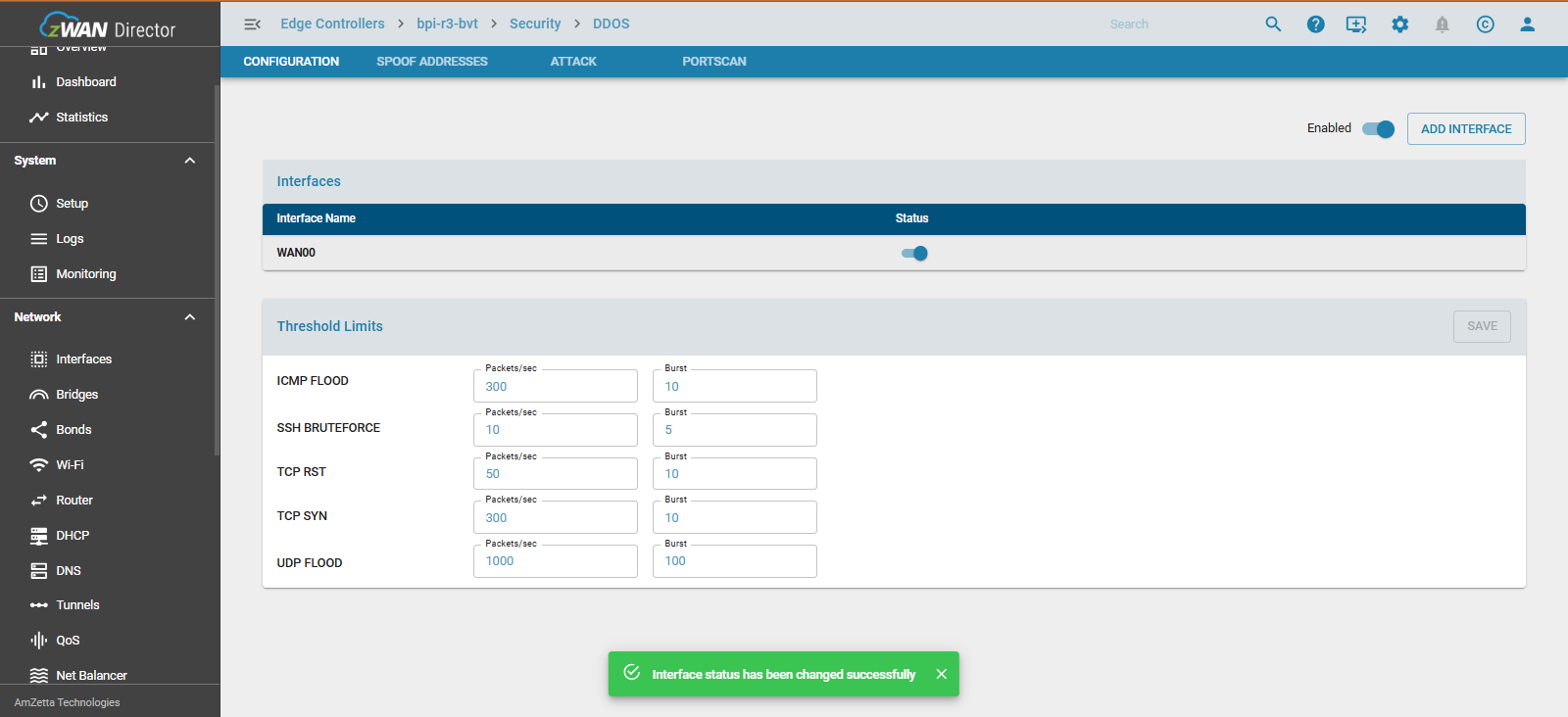
- DDoS protection can also be configured on a per-WAN interface basis.
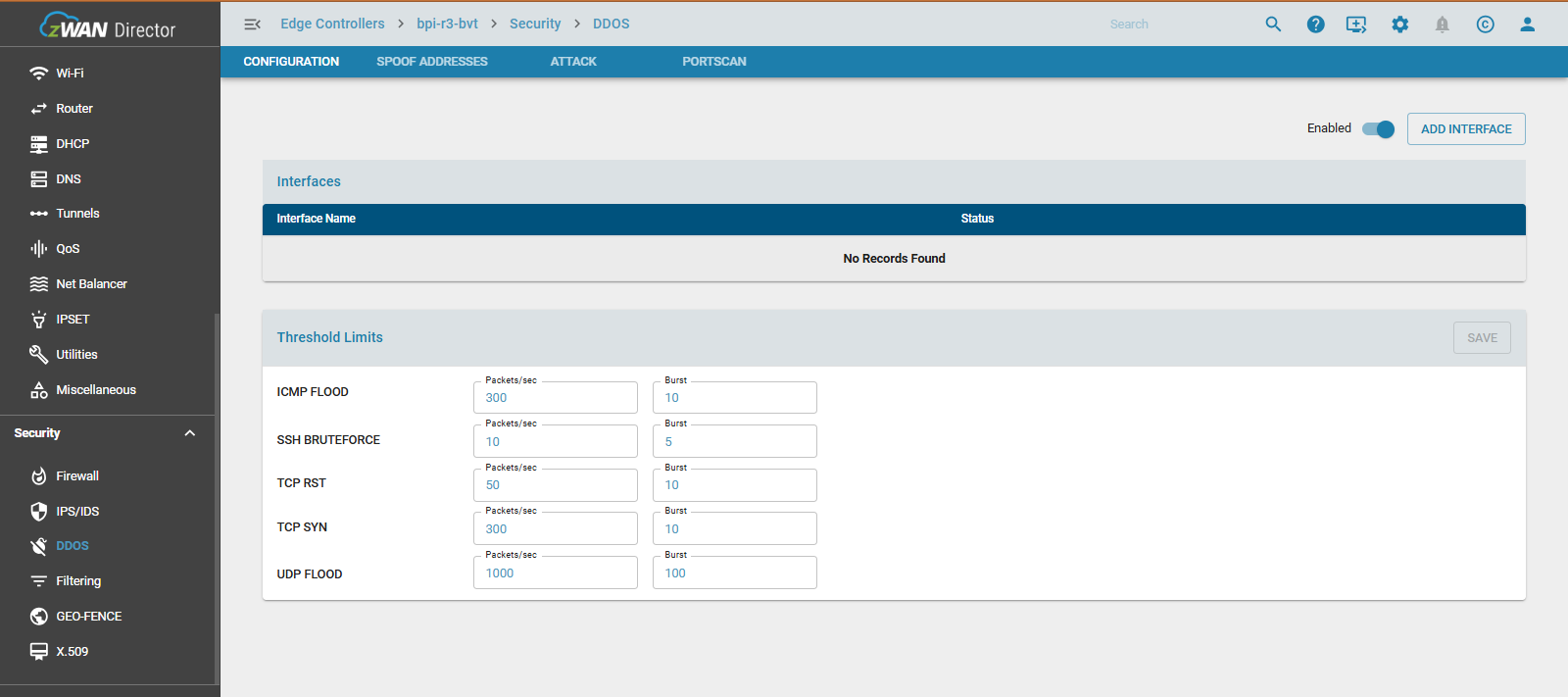
- Thresholds for various attack types can be adjusted per source. The default thresholds are as follows:
- ICMP Flood: 300 packets/sec
- UDP Flood: 1000 packets/sec
- TCP SYN: 300 packets/sec
- TCP RST: 50 packets/sec
- SSH Brute Force: 10 packets/sec
- The system allows viewing of IPs that have attempted to attack or port scan the EC.
- Support for both permanent and temporary allow lists and block lists is available.
Important: DDoS protection requires the firewall’s INPUT policy to be set to "default DROP" for proper operation.
Configuration Parameters
DDOS Status
Configure DDOS per interface

DDOS Settings for ICMP FLOOD, UDP FLOOD, TCP SYN, TCP RST, and SSH BRUTEFORCE
DDOS IP List
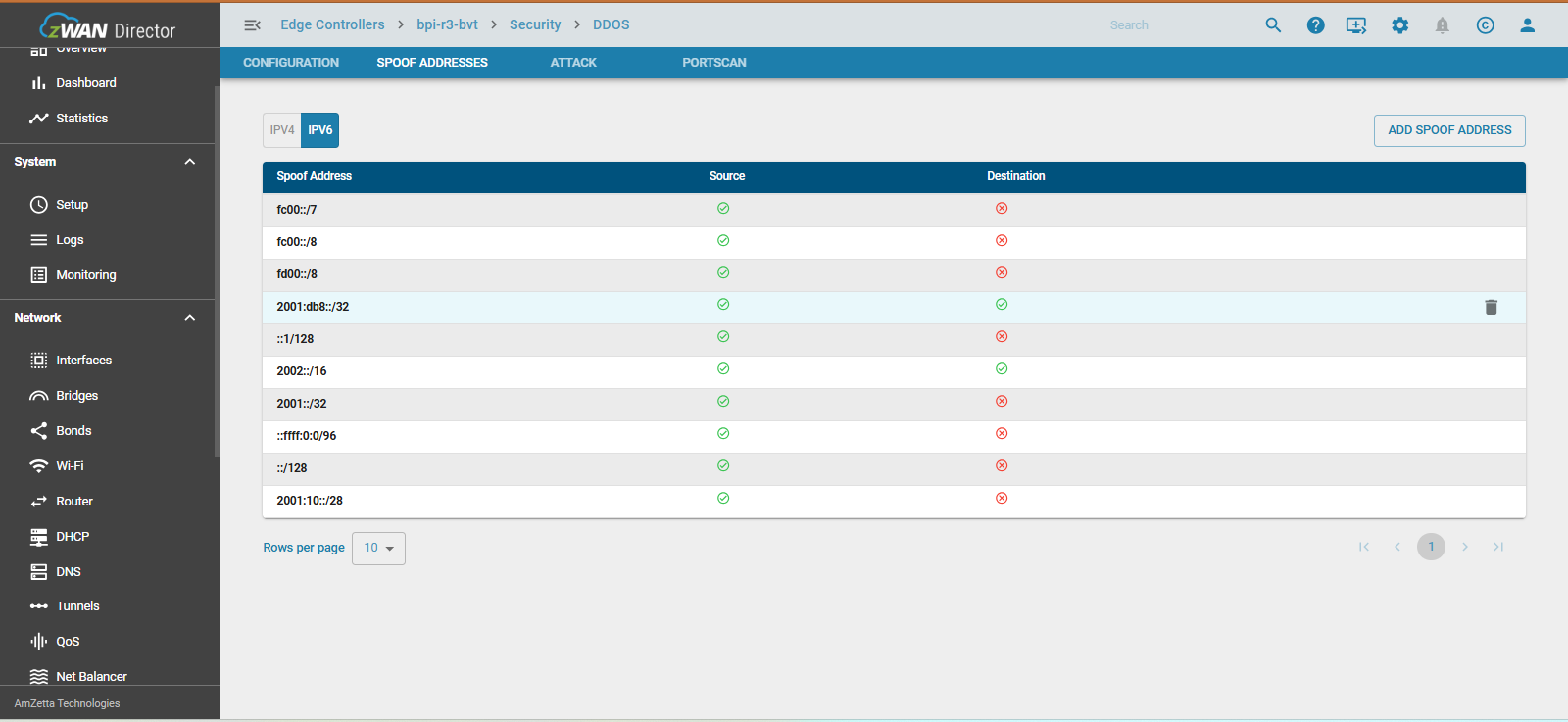
- Spoofed Addresses
Certain IP networks may not be visible if the EC is directly connected to the Internet. For instance, if the EC resides within an internal network and a ::ffff:0:0/96 IP range is in use, the spoofed address entries should be updated accordingly before enabling DDoS protection.
- Attack
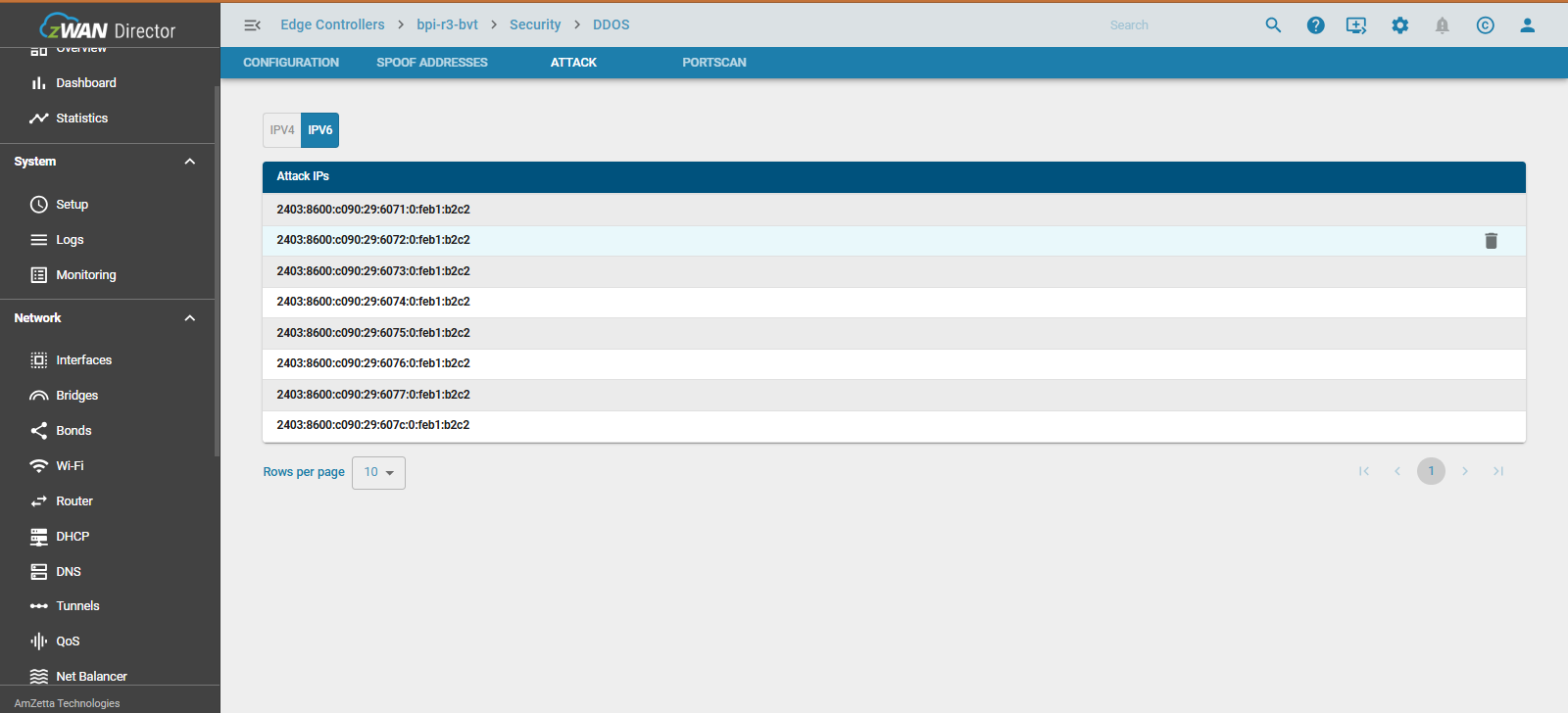
IPs that attempt to attack or perform port scanning on the EC will be added to a temporary DDoS list for a duration of 5 minutes. This time period helps ensure that any false positives are automatically cleared from the list, or can be manually removed by the user.
Note: TCP-RST attacks will not be included in the DDoS list, as these attacks involve spoofed IPs of legitimate source machines. When a TCP-RST attack is detected, the packets will be dropped according to the configured threshold, and the event will be logged.
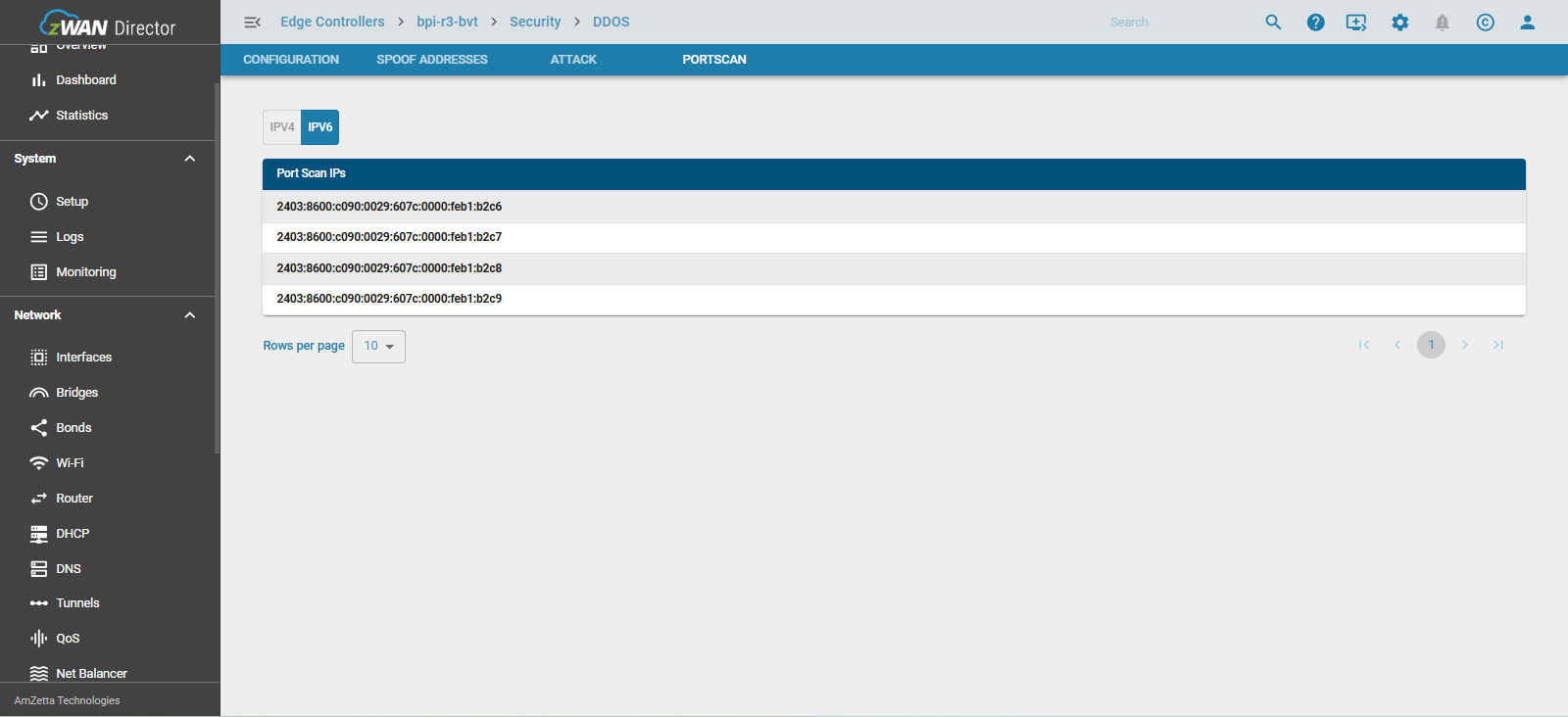
- PortScan
External devices attempting to run a port scan on the EC will be blocked for a 24-hour period. In case of a false positive, the affected IPs can be manually removed by the user.