
Net Balancer Advanced
Load Balancer
Overview
Traffic steering is used when a router has multiple internet connections or tunnels to balance outgoing LAN traffic, maintain network redundancy, and provide fault tolerance. LAN traffic is distributed using two weighted round-robin methods:
- Connection Based Load Balancing : This method is flow-based, meaning each flow is assigned an outgoing interface that it will use for its entire lifetime. This approach is ideal for WAN interfaces where NAT connections must be maintained for end-to-end flows. If the assigned interface fails, the traffic for that flow is rerouted. Tunnels can also be configured for flow-based to achieve max throughput when hetrogeneous WAN interfaces with varying speeds and latencies are in play
- Packet based Load Balancing : This method is packet-based, allowing each individual packet to be sent through a different outgoing interface. It's used exclusively with tunnels, as it doesn't involve NAT.
- Failover : This is a standard failover mechanism where the primary link is determined by its assigned weight. If that link fails, the system automatically switches to the link with the next highest weight. When the primary link comes back online, the system performs a failback, returning traffic to the link with the highest weight.
Traffic can also be steered through a single interface. The detection of traffic is done by the flow classifier module, which offers multiple ways of detecting traffic like 5-tuple, nDPI, Web Categories, etc..
Functionality
Modes of Traffic
It supports 4 modes of traffic
- Branch : Gateways can be grouped based on the one or more LAN networks to form a separate load balancing group. The LAN networks can be either specified as a new line separated file.
- Internet breakout : Any traffic which does not belong to the branches or are Internet bound are forwarded to the default internet gateways
- SAAS breakout : When Internet breakout traffic is directed towards the DC via the tunnels, the user can still designate trusted traffic from SAAS applications like teams, salesforce etc to be steered directly to the Internet via the WAN interfaces.
- Tunnel breakout : This option is used in few scenarios. The most common scenario is when Internet breakout is directed towards the DC via the tunnels, here the tunnels are assigned affinity to the Tunnel breakout gateways. This option is also used in a scenario where your tunnel links are via different WAN interfaces than the Internet WAN interfaces.
Load Balancing methods
Each load balancing group can be configured in one of the 3 modes
- Connection Based Load Balancing & Failover -> Branch, Internet breakout, SAAS Breakout & Tunnel Breakout
- Packet based Load balancing & Failover -> Branch & Internet breakout with tunnels
- Failover -> Branch, Internet breakout & SAAS Breakout
Dynamic Rebalancing methods
Since Version 1.4, dynamic rebalancing can be configured with the following additional methods:
- Auto Spillover : This method automatically selects the gateway order based on measured interface throughput. When a gateway's usage approaches its maximum measured throughput, spillover traffic is rerouted to the next available gateway with the highest throughput.
- Manual Spillover : In this method, the user defines the gateway order. When a gateway's usage nears its maximum measured throughput, spillover traffic is rerouted to the next gateway in the user-defined sequence.
- Auto Dynamic : This method automatically selects the gateway order based on measured interface throughput. However, instead of rerouting spillover traffic, it balances traffic across all gateways using a ratio of each gateway's measured maximum throughput.
- Manual : With this method, the user determines the gateway order. Traffic is then balanced across all gateways based on user-defined static weights.
The rebalancing methods available depend on the configured load balancing and failover type.
- Connection-Based Load Balancing & Failover: the following rebalancing methods are supported:
- Manual
- Auto Dynamic
- Manual Spillover
- Auto Spillover
- For Packet-Based Load Balancing & Failover, only these rebalancing methods are available:
- Manual
- Auto Dynamic
- When using Failover (without load balancing), only the Manual rebalancing method is supported.
Failover Monitoring
Failover monitoring is done by either monitoring the liveliness of the physical interface or the gateway IP address or manually configured Failover IPs to verify the absence of routing issues. The reliability of the latter can be influenced by the network level congestion and their response times. So proper calibration is required for the same. There are multiple parameters which are used to avoid transiet failure detection like
- Number of probes before marking DOWN
- Number of probes before marking UP
- Pause Before New Cycle
- Reply Timeout
Gateway State Transition Parameters
Probes Before Marking DOWN:
- Defines the number of consecutive failed probe attempts before the gateway is declared as DOWN or Faulty.
- Higher value: Longer time to detect failures.
- Lower value: Faster failure detection, but more susceptible to transient errors.
- Max time to mark as DOWN: (Probes Before Marking DOWN) * Reply Timeout + Pause Before New Cycle
Probes Before Marking UP:
- Defines the number of consecutive successful probe attempts before the gateway is declared UP or Active.
- Higher value: Longer time to bring a failed gateway back online.
- Lower value: Faster recovery, but more susceptible to transient errors.
- Max time to mark as UP: (Probes Before Marking UP) * Round Trip Time + Pause Before New Cycle
Pause Before New Cycle:
- The time interval between each cycle of probe attempts.
Reply Timeout:
- The maximum time allowed for a response from the gateway to each individual probe.
- The actual response time might be shorter if the network can detect a failure more quickly.
Key Considerations:
- Carefully balance the sensitivity to genuine failures with the risk of false alarms due to transient network issues.
- Adjust parameters based on the specific characteristics of the network and the criticality of the gateway.
SAAS breakout
SAAS apps can be configured via the SAAS apps page. This is a selection from the nDPI apps. The user is given the flexibility to determine which app can be trusted or not. Once configured any application designated as a SAAS app, when detected is sent via the SAAS breakout gateway.
Internet breakout and SAAS breakout can share the same interfaces. SAAS breakout can be created only using interfaces designated as WAN.
*Please note nDPI detection can happen for the first packet or later in the flow, but deciding a gateway or interface can happen only if the application determination can be made from the first packet. As nDPI is only for internet applications maintaining the flow is very important so as to not break the NAT connections. First packet application detection can only have from an IP database. For example a TLS application flow can be detected after about 11 packets. So here packet redirection will not work even though the app was detected later on.
Deployment Methods
Local Internet breakout in a standalone deployment
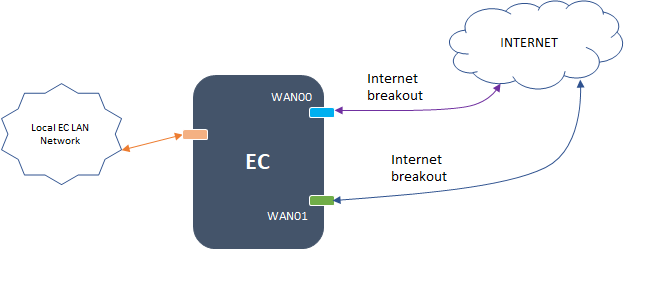
Local Internet breakout with Shared WAN Interfaces for Branch Traffic to DC / Branch

Separate WAN Interfaces for Internet and Tunnel Traffic

Internet breakout via DC, with local SAAS Breakout on shared WAN interfaces

Internet breakout via DC, with local SAAS Breakout on separate WAN interfaces

Configuration Parameters
Add a Load Balancer gateway

Edit a Load Balancer gateway
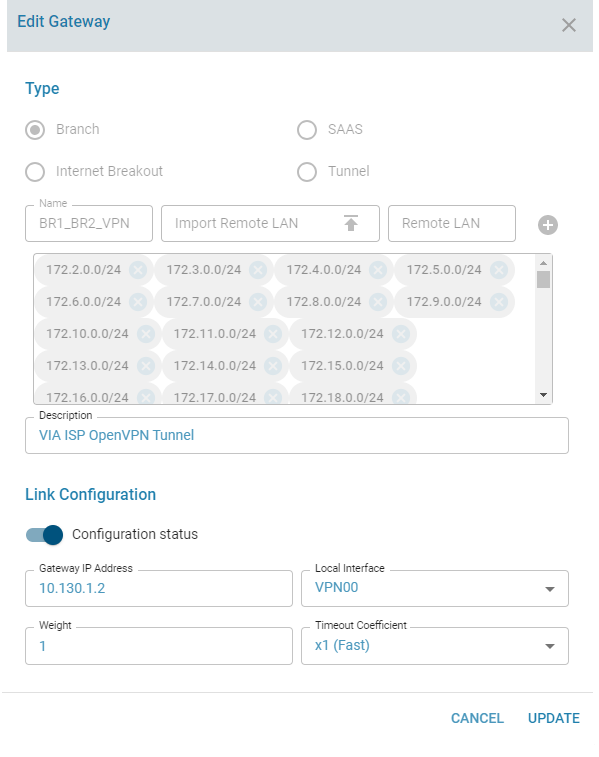
View the branch subnets configured for a single branch

View the Load Balancer gateways

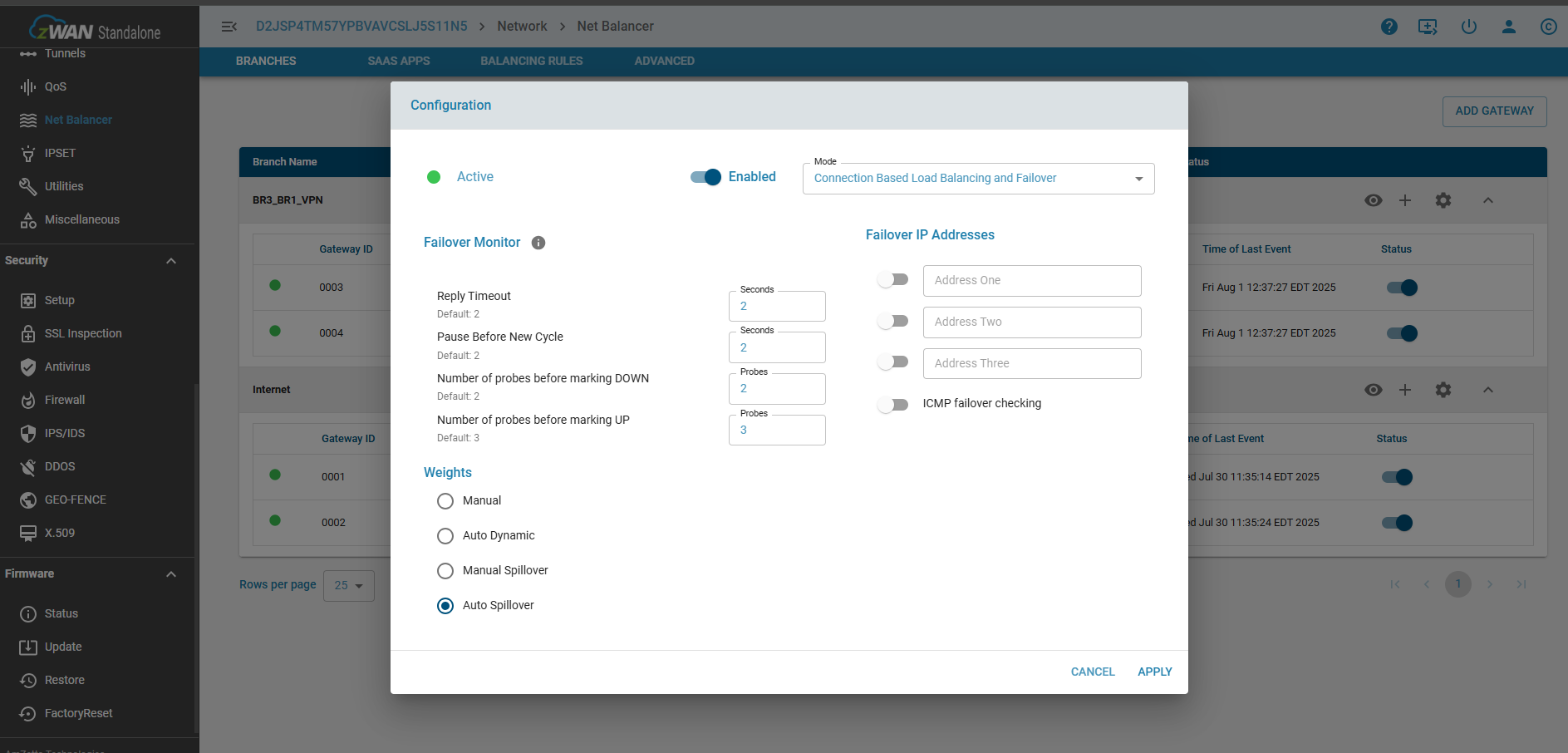
Configure the Load Balancer

Spillover or Dynamic Rebalancing Configuration
Configure SAAS apps

Tunnel Breakout Configuration
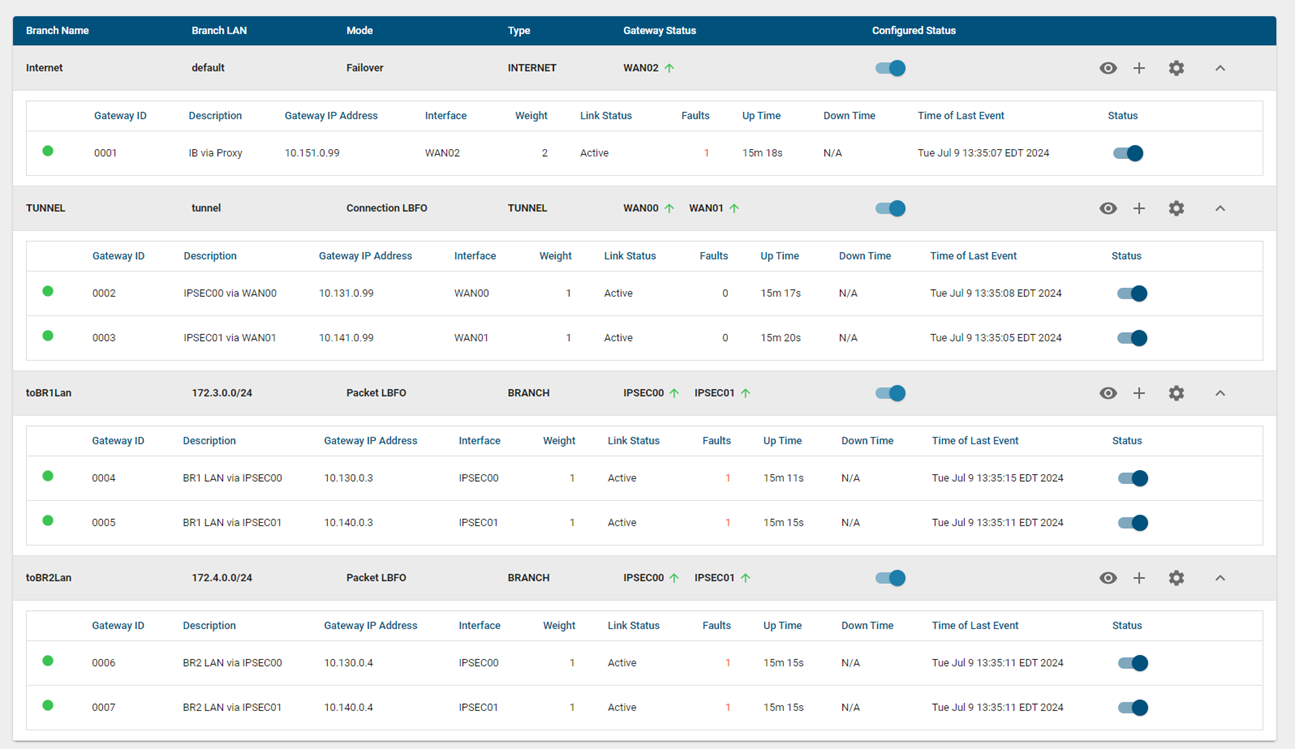
Advanced
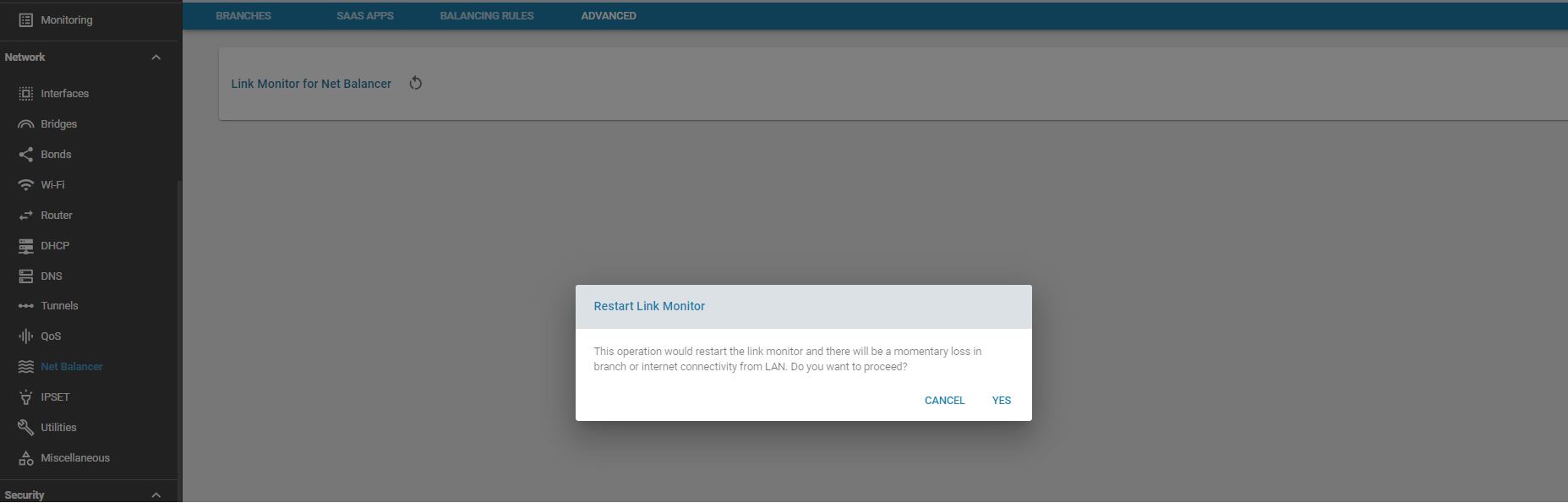
For troubleshooting purposes, when failures or routing updates are not being acted upon, the Load Balancer link monitor can be restarted. Please note that this operation will result in a momentary loss of branch and internet connecitivity from the LAN. This is an alternative to rebooting the Edge Controller itself
Use Cases:
To classify and steer traffic over dedicated links.
Known Limitations:
- Editing the remote LAN is not supported
- The number of gateways supported depends on the underlying hardware