
-
SnapOS
-
-
- Articles coming soon
-
-
-
- Citrix HDX + USB Headset (Call-Center Baseline)
- OS/Firmware Update & Rollback
- Power Management and Session State
- Wi-Fi Roaming & Link Change Mid-Session
- Kiosk / Assigned-Access Auto-Launch
- Barcode Scanner (HID) with Line-of-Business App
- Printing to Local USB & Network Printers
- USB Device Management – Block Storage
- Multi-Monitor & 4K Performance
- Microsoft AVD/RDP + Teams Optimized Video
- VMware Horizon + Smart Card / CAC Login
-
-
-
-
zWAN
-
-
-
-
- Firewall & Layer 7 Application Filtering
- VPN Site-to-Site Tunnel Setup & Connectivity (z40 to Cloud vGR)
- Intrusion Prevention System (IPS) / Intrusion Detection System (IDS) Testing
- DNS Filtering
- DDoS Protection & Logging
- MAC Address Filtering & Geo-fencing
- Application Control & Protocol Blocking
- Authentication & Access Control (zID)
-
- WAN Link Failover & Load Balancing (ACI Mode)
- Dynamic Path Selection & Application-Aware Routing
- SaaS & Internet Breakout Validation
- QoS for Microsoft Teams (Datacenter vGR + Branch z40)
- Tunnel Failover (z40 ↔ vGR) — WAN00 (wired) primary, WAN03 (4G) & WAN04 (5G) backups
- IP Routing & Static Route Steering (z40 Branch)
- VLAN & Layer-2 Bridging
-
-
-
-
-
-
- Articles coming soon
-
-
-
-
- Articles coming soon
-
- Articles coming soon
-
-
-
-
-
-
- Articles coming soon
-
- Articles coming soon
-
- Articles coming soon
-
- Articles coming soon
-
-
-
-
-
- Articles coming soon
-
- Articles coming soon
-
- Articles coming soon
-
- Articles coming soon
-
-
-
-
-
- Articles coming soon
-
- Articles coming soon
-
- Articles coming soon
-
- Articles coming soon
-
-
- Articles coming soon
-
- IPsec Tunnel not Establishing
- SSL-VPN Tunnel not Establishing
- Mobile Network Issues
- Management Tunnel does not Establish
- DNS not Resolving from Local Network Appliance
- DNS Resolution Issues in Tunnel Configuration
- DHCP Server not Leasing IP to LAN PC
- Debugging EC Events - Unknown Status Issue
- Trusted-MAC Geofencing Issues
- DNS Issues from DC LAN PC
- Troubleshooting LAN Connectivity to Internet via WAN, Remote Branch LAN, or Local Branch LAN
- NetBalancer gateways displaying Faulty/Inactive
- Packet Drop Issues
-
-
zAccess
-
StorTrends
Speed Test
Overview
zWAN edge devices is equipped with some debugging and troubleshooting utilities These utilities helps to troubleshoot any network connectivity/accessibility related issues to/from the edge device. These are very critical in debugging and isolating any issues on the edge devices. The utility functionalities can be run from a remote location such as provider which further helps to alleviate the need for a technician to go the customer location.
Functionality
Following are the current functionalities available in Utilities. More functionalities can be added to the list as we enhance the feature list.
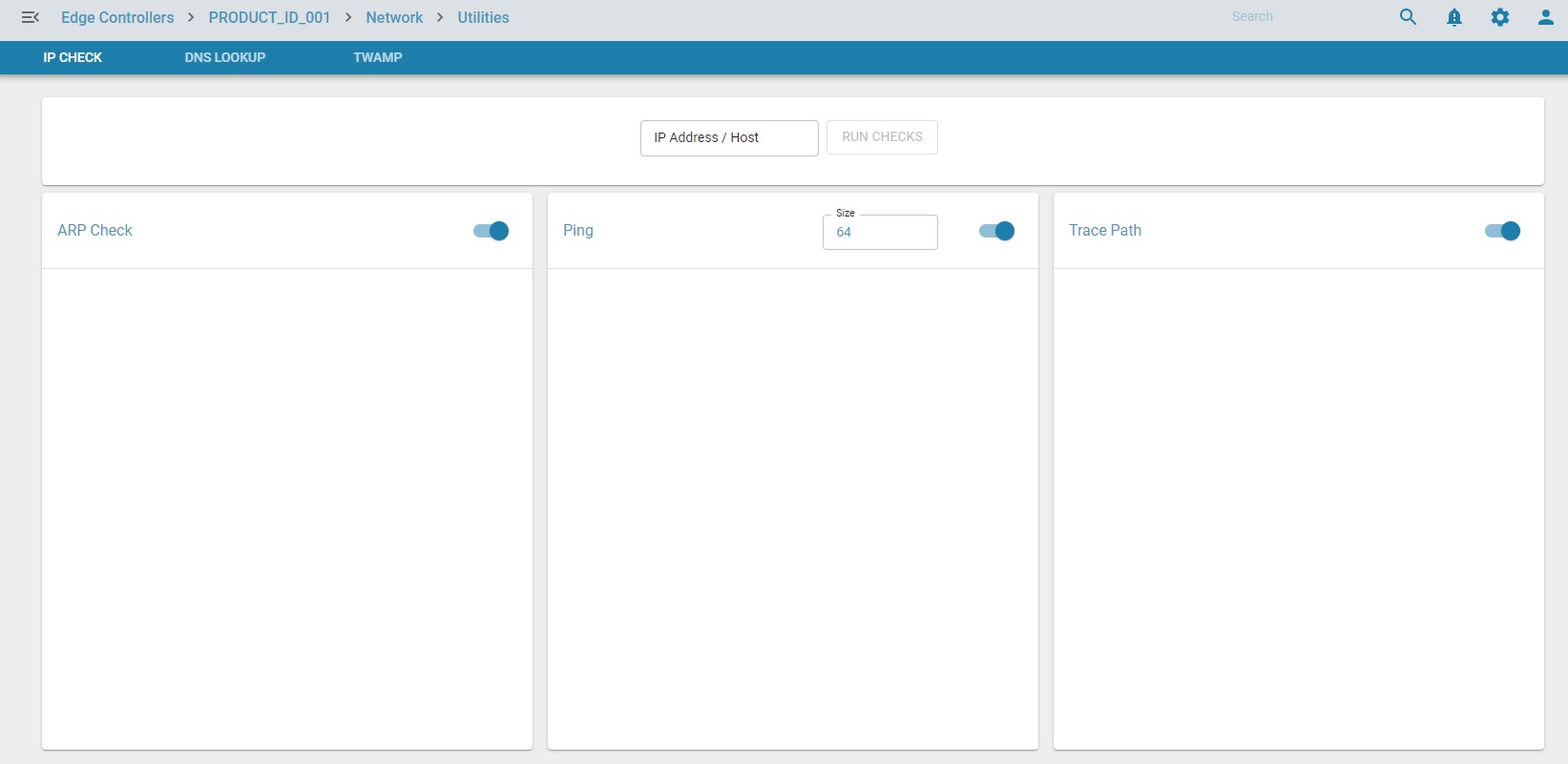
ARP Check: ARP Check is a utility used for Duplicate address detection. It sends an ARP request to the specified address. It will not send ARP request if the specified address is already in the ARP table or is in a different subnet
Ping: ping utility is used to check the specified address is accessible from the zWAN device. It provides information such as how long it takes a packet to get from one network device to the other. It can also be used to test supported packet size through the entire network to reach the destination end device.
Tracepath: Tracepath is used to trace path of the specified destination address discovering MTU along its path. It displays the supported MTU along with the maximum hops it took to reach the destination.
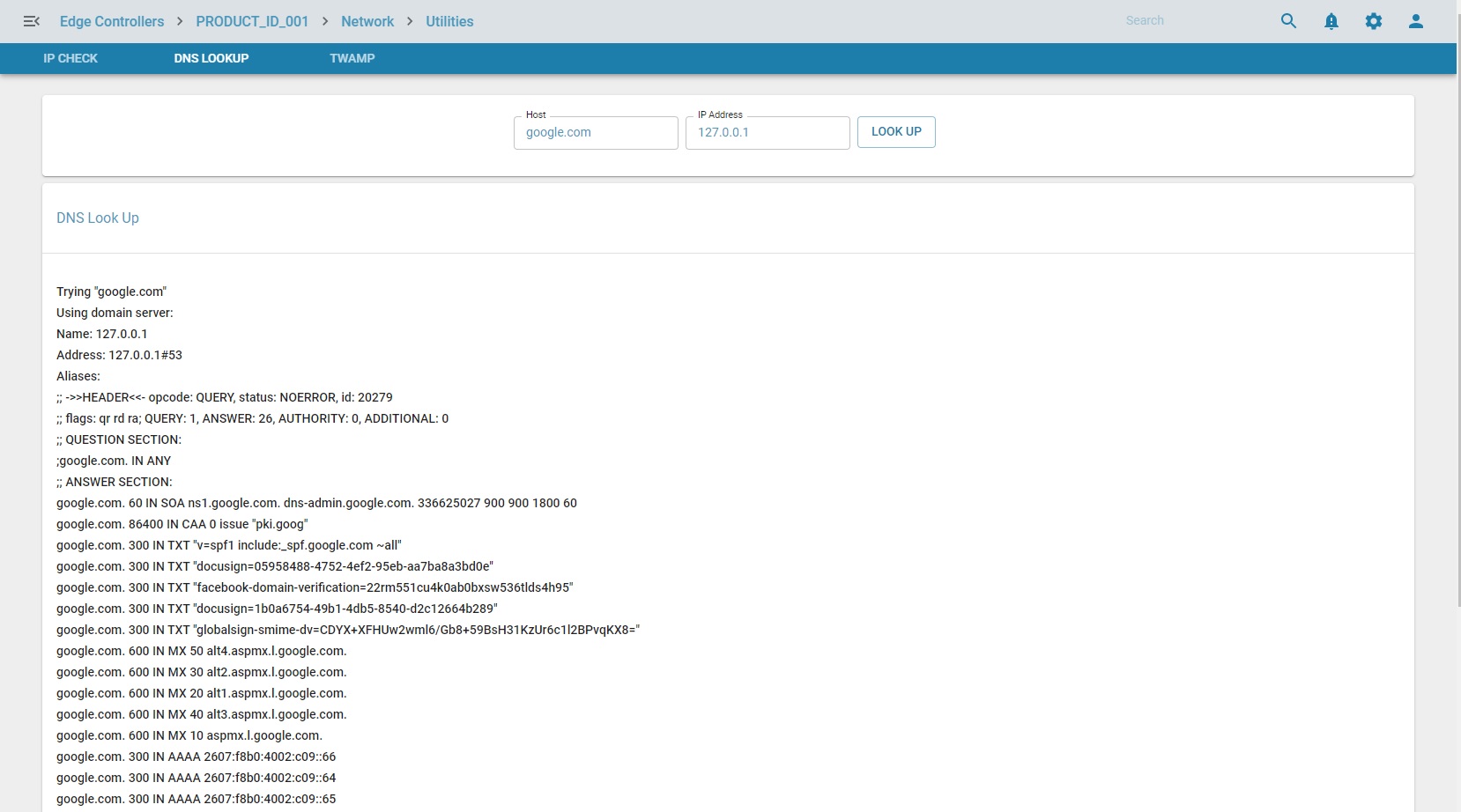
DNS Lookup: This utility queries the Domain Name system to obtain the domain name or IP address or any other specific DNS record.
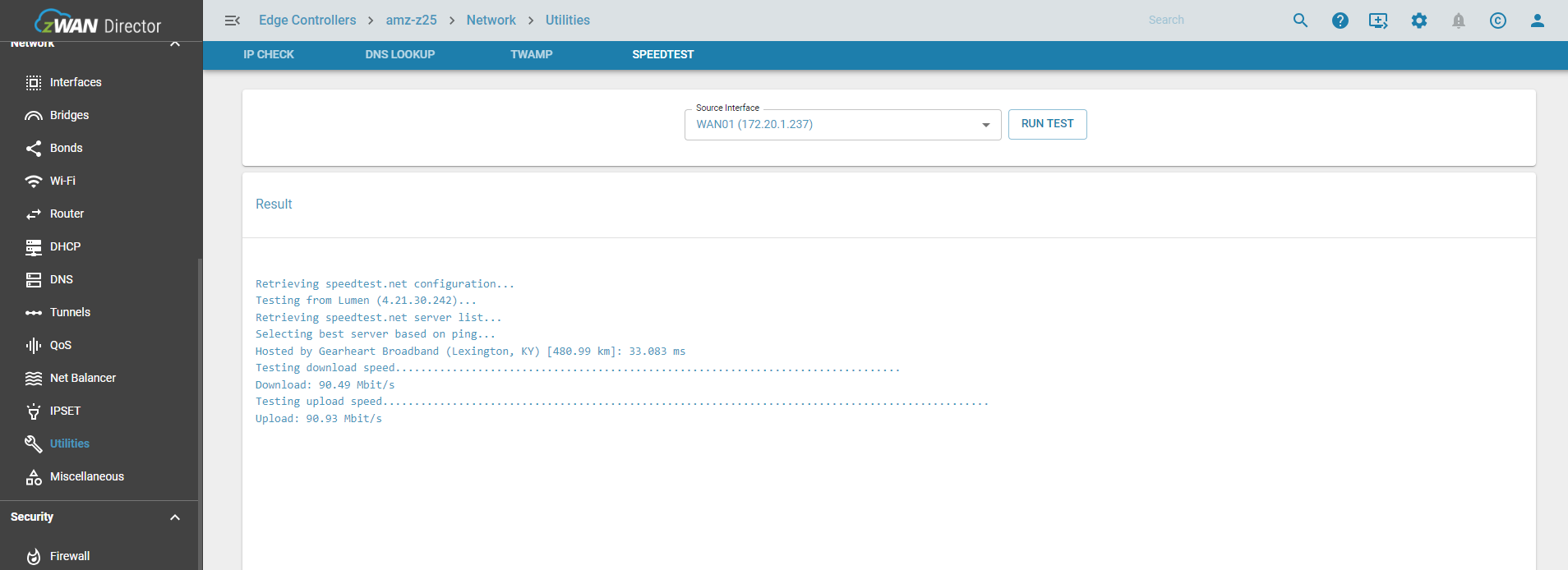
Speedtest : This utility ise used to check the bandwidth available on the WAN links to the Internet
Utilties UI page is show below
DNS lookup UI page is shown below
Speedtest
Future Enhancements
Other debug utilties can be added in future. eg; File copy test utility
Use cases
These utilities are used to debug the reachabilty and understanding the route path of remote systems or server.
This wil be helpfull in debugging and configuring edge controller functionalities
Known Limitations
Tracepath can take time or timeout if the server to be reached is not accessible from the edge controller or reachabilty of the server is very slow
Please note ping and arpcheck mutation could take 10 and tracepath can take 30 seconds.
If ping has failure in reaching ip, the error will be logged in message. If success the output will be populated. Same if true for other utilities