
-
SnapOS
-
-
- Articles coming soon
-
-
-
- Citrix HDX + USB Headset (Call-Center Baseline)
- OS/Firmware Update & Rollback
- Power Management and Session State
- Wi-Fi Roaming & Link Change Mid-Session
- Kiosk / Assigned-Access Auto-Launch
- Barcode Scanner (HID) with Line-of-Business App
- Printing to Local USB & Network Printers
- USB Device Management – Block Storage
- Multi-Monitor & 4K Performance
- Microsoft AVD/RDP + Teams Optimized Video
- VMware Horizon + Smart Card / CAC Login
-
-
-
-
zWAN
-
-
-
-
- Firewall & Layer 7 Application Filtering
- VPN Site-to-Site Tunnel Setup & Connectivity (z40 to Cloud vGR)
- Intrusion Prevention System (IPS) / Intrusion Detection System (IDS) Testing
- DNS Filtering
- DDoS Protection & Logging
- MAC Address Filtering & Geo-fencing
- Application Control & Protocol Blocking
- Authentication & Access Control (zID)
-
- WAN Link Failover & Load Balancing (ACI Mode)
- Dynamic Path Selection & Application-Aware Routing
- SaaS & Internet Breakout Validation
- QoS for Microsoft Teams (Datacenter vGR + Branch z40)
- Tunnel Failover (z40 ↔ vGR) — WAN00 (wired) primary, WAN03 (4G) & WAN04 (5G) backups
- IP Routing & Static Route Steering (z40 Branch)
- VLAN & Layer-2 Bridging
-
-
-
-
-
-
- Articles coming soon
-
-
-
-
- Articles coming soon
-
- Articles coming soon
-
-
-
-
-
-
- Articles coming soon
-
- Articles coming soon
-
- Articles coming soon
-
- Articles coming soon
-
-
-
-
-
- Articles coming soon
-
- Articles coming soon
-
- Articles coming soon
-
- Articles coming soon
-
-
-
-
-
- Articles coming soon
-
- Articles coming soon
-
- Articles coming soon
-
- Articles coming soon
-
-
- Articles coming soon
-
- IPsec Tunnel not Establishing
- SSL-VPN Tunnel not Establishing
- Mobile Network Issues
- Management Tunnel does not Establish
- DNS not Resolving from Local Network Appliance
- DNS Resolution Issues in Tunnel Configuration
- DHCP Server not Leasing IP to LAN PC
- Debugging EC Events - Unknown Status Issue
- Trusted-MAC Geofencing Issues
- DNS Issues from DC LAN PC
- Troubleshooting LAN Connectivity to Internet via WAN, Remote Branch LAN, or Local Branch LAN
- NetBalancer gateways displaying Faulty/Inactive
- Packet Drop Issues
-
-
zAccess
-
StorTrends
Print
URL Filtering
Concept Overview
- URL Filtering is a security feature that monitors and restricts user access to specific websites. This feature operates only when SSL Inspection is enabled, as it requires decrypted HTTPS traffic to inspect URLs effectively.
- Administrators can define rules for blocking particular web pages, which are stored as URLREGEX entries. With SSL Inspection active, presenting a custom block page to users when they attempt to access restricted sites.
- Advanced URL filtering requires blocking HTTP/3 traffic so that encrypted requests can be inspected. When HTTP/3 is blocked, traffic is downgraded to HTTP/2 or HTTP/1.1, allowing the security engine to enforce URL filtering policies.
- This mechanism provides controlled web access, enhances network security.
URL Filtering Workflow
- User Request: A client device attempts to access a website via HTTP or HTTPS.For HTTP traffic, the request is sent in pld content.To enable URL filtering for HTTPS traffic, SSL interception is required. This involves decrypting the encrypted request at a secure proxy. The client device must have the trusted certificate pushed into it.
- SSL Inspection: The request passes through the appliance with SSL Inspection enabled.The appliance intercepts and decrypts HTTPS traffic using a trusted certificate.
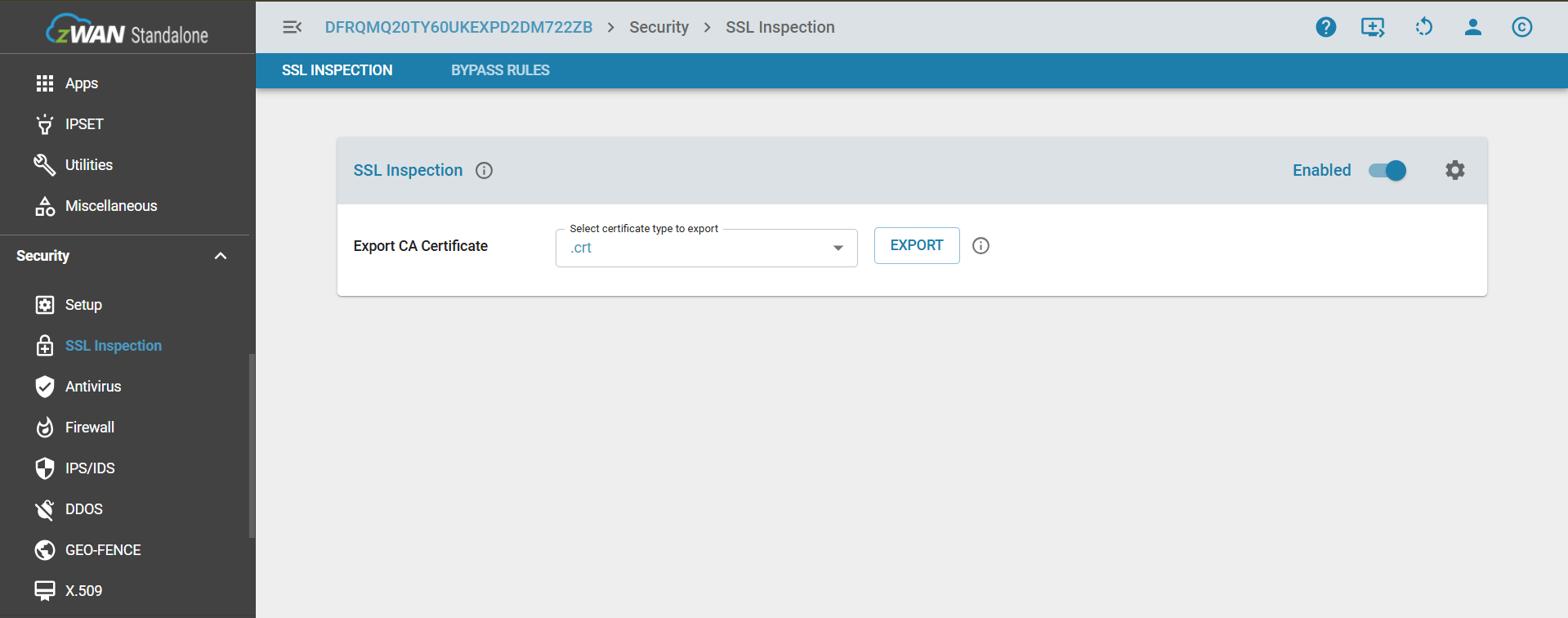
NOTE:
The process for pushing or installing this certificate on client devices is detailed in SSLInspection/Certification_push.md.
- For advanced URL filtering, "Strict mode for URL Filtering (Blocks HTTP/3)" must be enabled from Security → Firewall → Advanced. This ensures that traffic using HTTP/3 is downgraded to HTTP/2 or HTTP/1.1, allowing the zGuardian UTM module to inspect and enforce URL filtering policies.

- URL Filtering ON & OFF: To access the URL Filtering page, enable the SSL Inspection. If SSL is off, unable to access the URL Filtering.
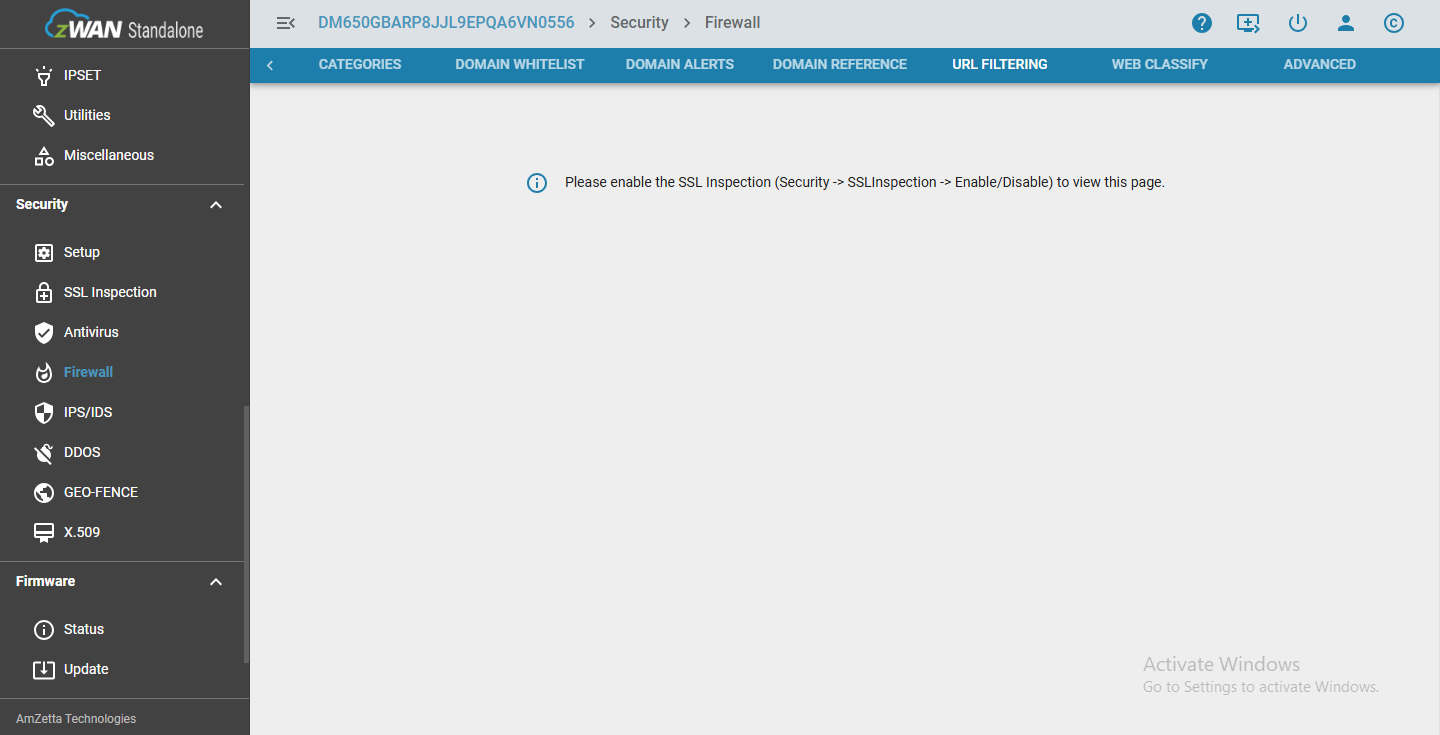
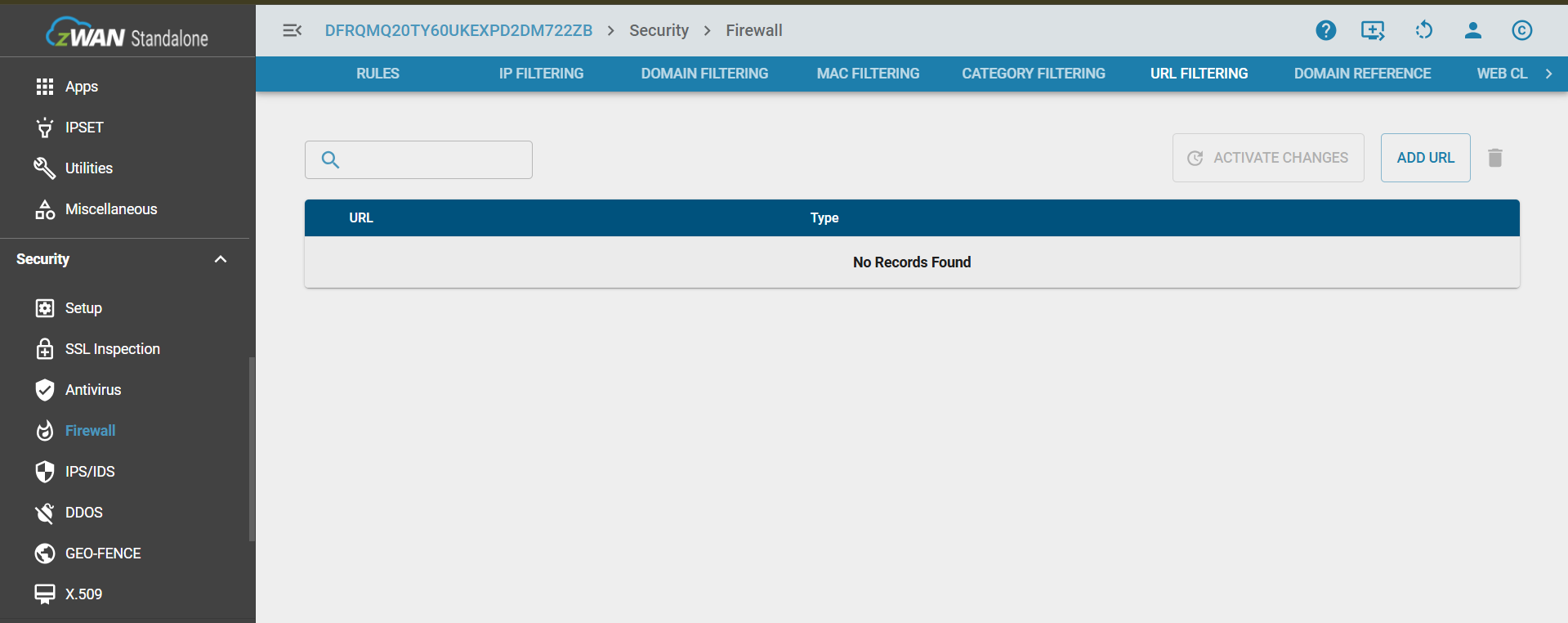
- Add Url: Admin can add the specific url to block the particular page through Add Url button in top right corner.
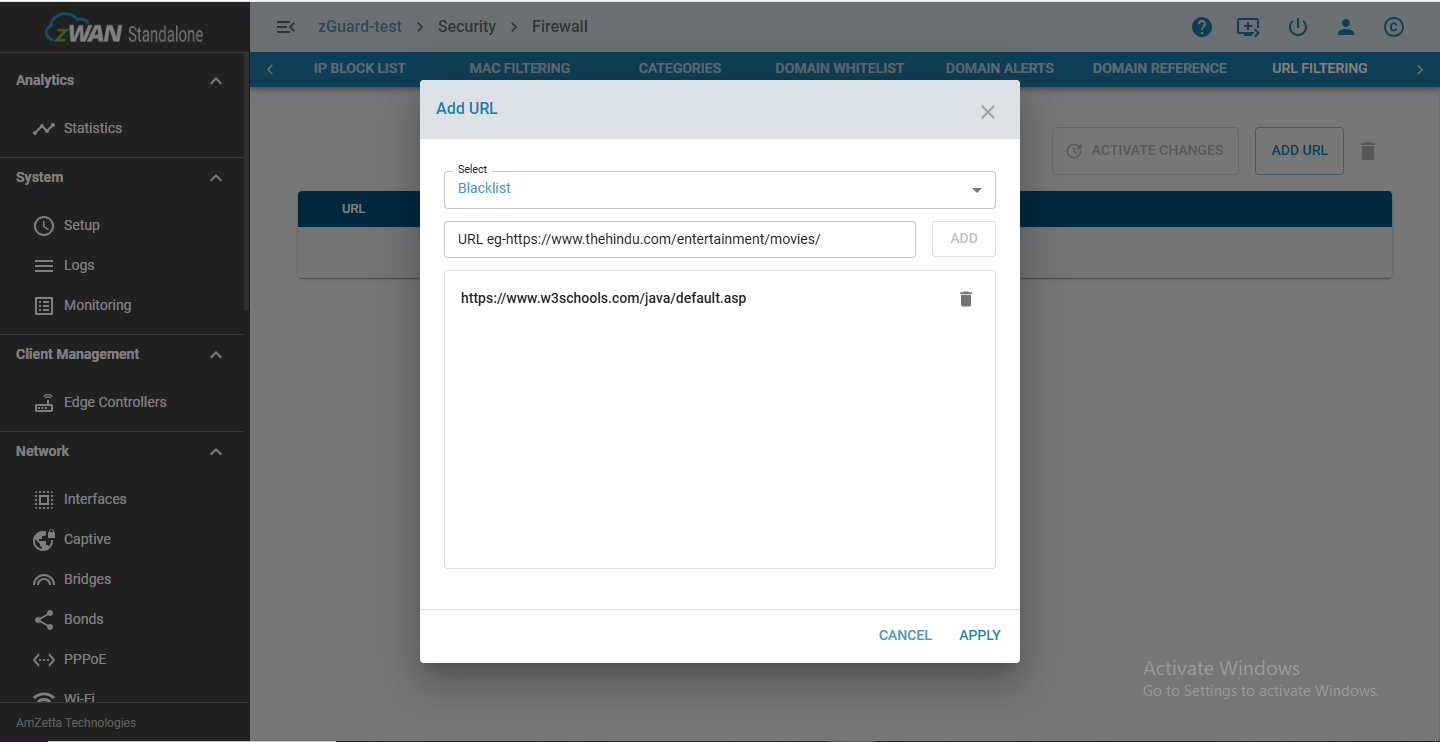
- Activate Changes: It's mandatory to give activate changes whenever the url is added.
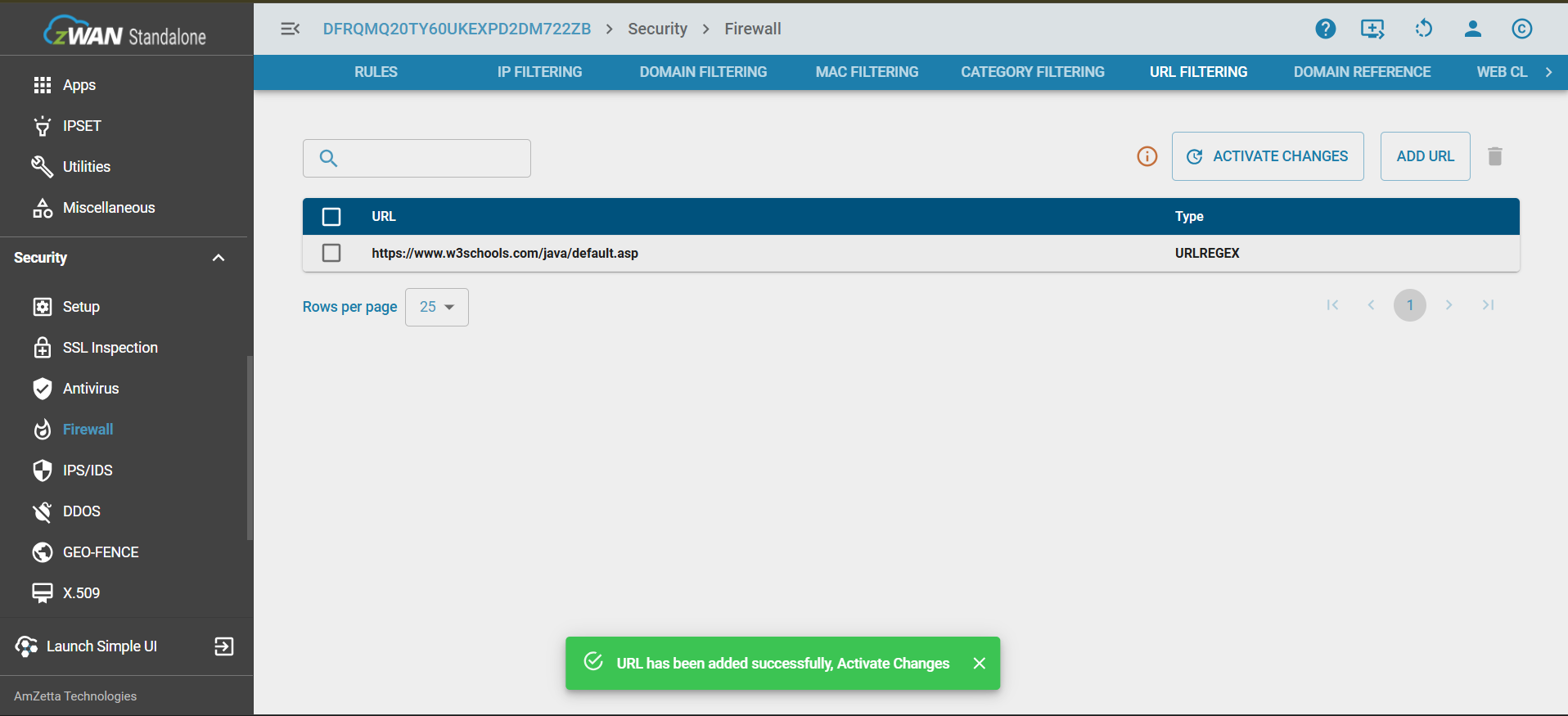
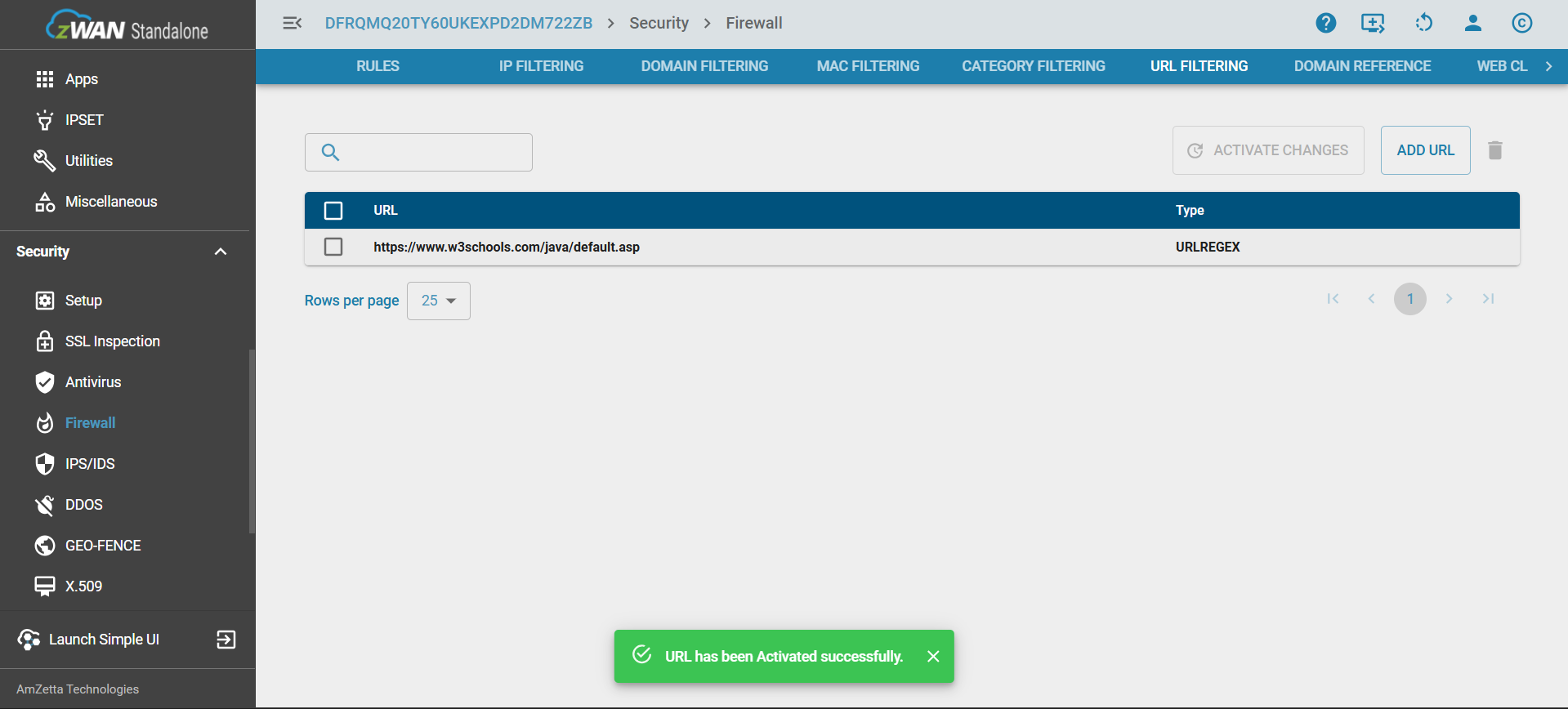
- URL Filtering Check: The URL is compared against the URL Filtering rules defined by administrators. Rules are stored as URLREGEX entries that match URLs to be blocked.
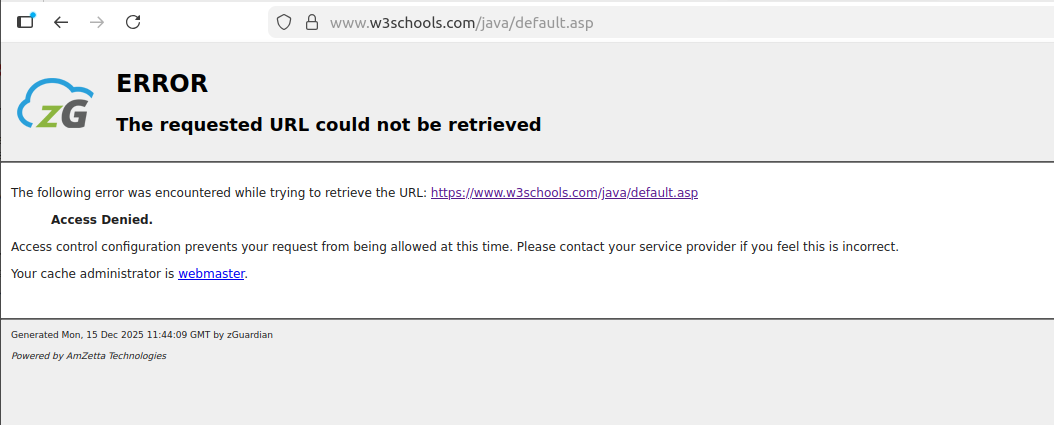
- Decision Blocked: If the URL matches a block entry, then the request is intercepted and blocked by returning a custom block page to the user, informing them the site is restricted.
Feature
Search option is supported in URL Filtering
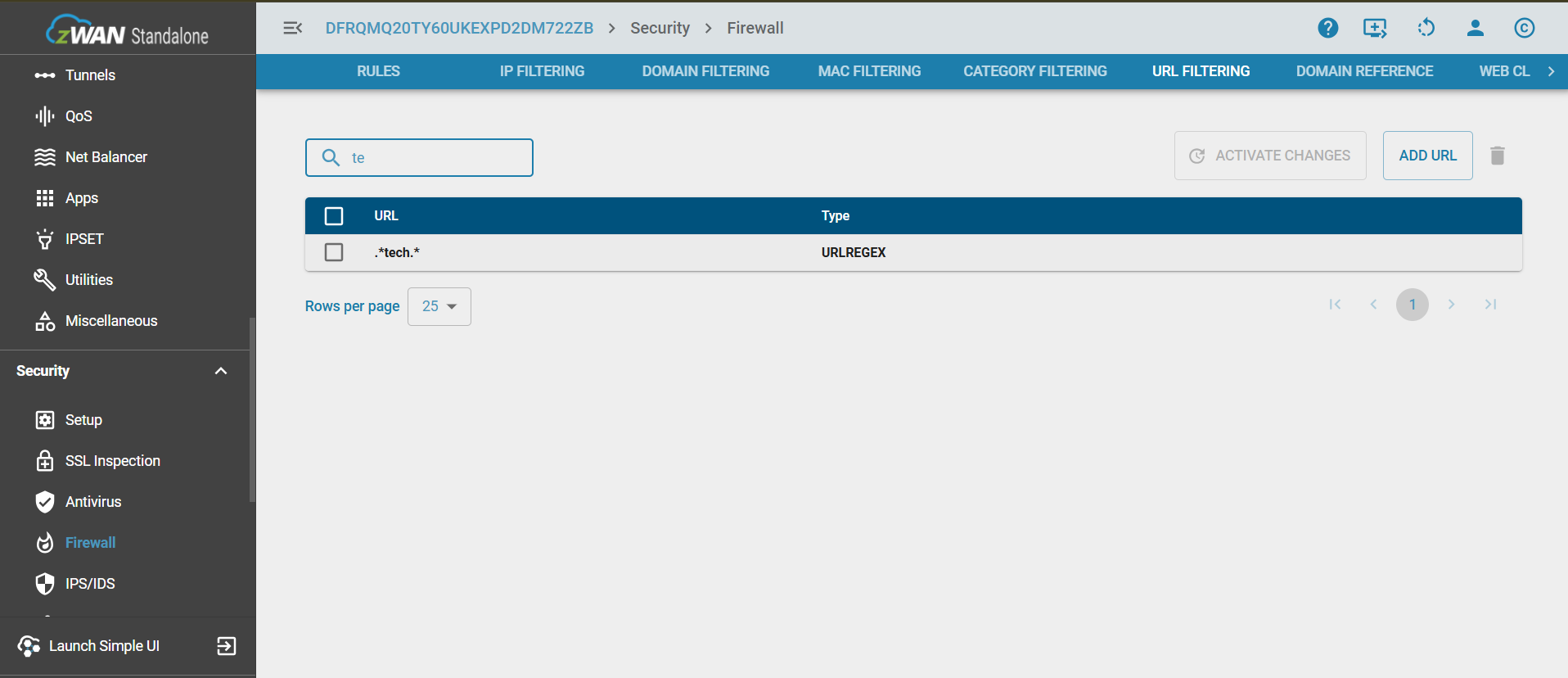
Table of Contents