
-
SnapOS
-
-
- Articles coming soon
-
-
-
- Citrix HDX + USB Headset (Call-Center Baseline)
- OS/Firmware Update & Rollback
- Power Management and Session State
- Wi-Fi Roaming & Link Change Mid-Session
- Kiosk / Assigned-Access Auto-Launch
- Barcode Scanner (HID) with Line-of-Business App
- Printing to Local USB & Network Printers
- USB Device Management – Block Storage
- Multi-Monitor & 4K Performance
- Microsoft AVD/RDP + Teams Optimized Video
- VMware Horizon + Smart Card / CAC Login
-
-
-
-
zWAN
-
-
-
-
- Firewall & Layer 7 Application Filtering
- VPN Site-to-Site Tunnel Setup & Connectivity (z40 to Cloud vGR)
- Intrusion Prevention System (IPS) / Intrusion Detection System (IDS) Testing
- DNS Filtering
- DDoS Protection & Logging
- MAC Address Filtering & Geo-fencing
- Application Control & Protocol Blocking
- Authentication & Access Control (zID)
-
- WAN Link Failover & Load Balancing (ACI Mode)
- Dynamic Path Selection & Application-Aware Routing
- SaaS & Internet Breakout Validation
- QoS for Microsoft Teams (Datacenter vGR + Branch z40)
- Tunnel Failover (z40 ↔ vGR) — WAN00 (wired) primary, WAN03 (4G) & WAN04 (5G) backups
- IP Routing & Static Route Steering (z40 Branch)
- VLAN & Layer-2 Bridging
-
-
-
-
-
-
- Articles coming soon
-
-
-
-
- Articles coming soon
-
- Articles coming soon
-
-
-
-
-
-
- Articles coming soon
-
- Articles coming soon
-
- Articles coming soon
-
- Articles coming soon
-
-
-
-
-
- Articles coming soon
-
- Articles coming soon
-
- Articles coming soon
-
- Articles coming soon
-
-
-
-
-
- Articles coming soon
-
- Articles coming soon
-
- Articles coming soon
-
- Articles coming soon
-
-
- Articles coming soon
-
- IPsec Tunnel not Establishing
- SSL-VPN Tunnel not Establishing
- Mobile Network Issues
- Management Tunnel does not Establish
- DNS not Resolving from Local Network Appliance
- DNS Resolution Issues in Tunnel Configuration
- DHCP Server not Leasing IP to LAN PC
- Debugging EC Events - Unknown Status Issue
- Trusted-MAC Geofencing Issues
- DNS Issues from DC LAN PC
- Troubleshooting LAN Connectivity to Internet via WAN, Remote Branch LAN, or Local Branch LAN
- NetBalancer gateways displaying Faulty/Inactive
- Packet Drop Issues
-
-
zAccess
-
StorTrends
Print
SNMP
Overview
- SNMP (Simple Network Management Protocol) is an internet standard protocol used remotely retrieve the operational statistics (current status) of the servers and infrastructure components. Devices that typically support SNMP include routers, switches, workstations, firewalls, and more.
Installed Packages:
 $sudo apt-get install -y snmpd snmp
 $sudo apt-get install -y snmp-mibs-downloader
 $sudo apt-get install -y snmptrapd
Mib Browser Installation Steps:
- Download mibbrowser_linux_x64.zip file from https://www.ireasoning.com/download.shtml
- Copy downloaded zip file into linux server system
- Use below commands to extract zip file and run browser code in linux
 $sudo su
 $unzip mibbrowser_linux_x64.zip
 $cd Downloads/ireasoning/mibbrowser/
 $bash browser.sh
OBJECT Name And Trap Oid,s Of MIB File
| NAME | OID |
|---|---|
| myCompanyMIB | |
| interfaceAlertNotifications | |
| systeminfo | |
| info | |
| hostname | |
| ip | |
| hostProductID | |
| hwType | |
| dateTime | |
| interfaceName | |
| interfaceStatus | |
| fwVersion | |
| description | |
| diskName | |
| diskUsage | |
| memoryUsage | |
| temperature | |
| cpuUsage | |
SNMP AGENT
Configuration Of SNMP AGENT:
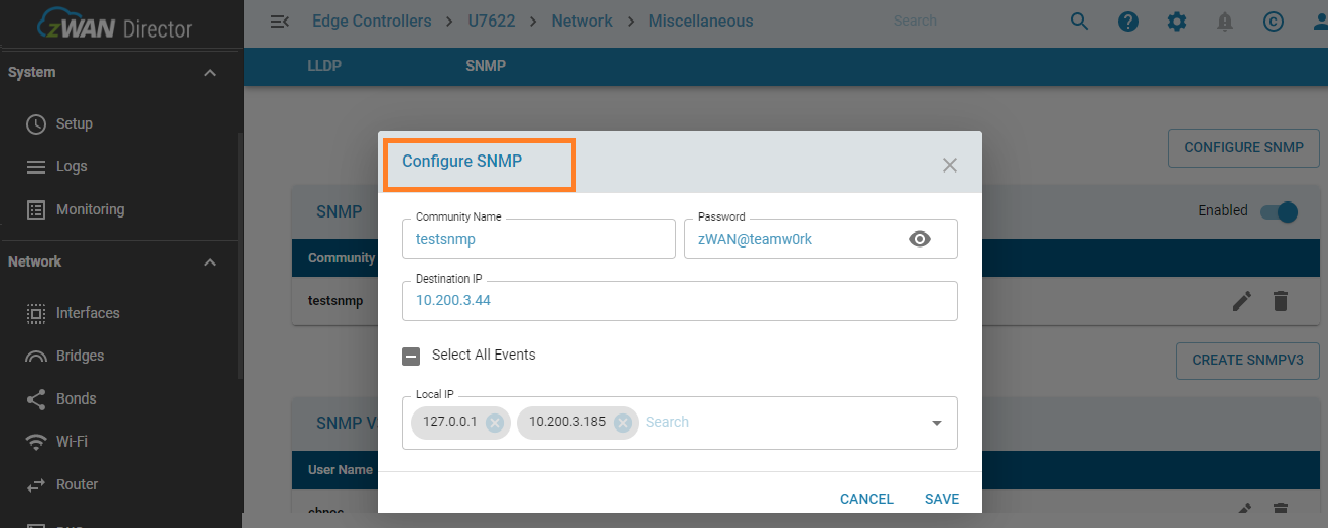
- Go to the secureshell SNMP option/WEBUI/ProviderUI.
- Enter the community name (eg zwantest) default will be public
- Enter the Destination Ip (SNMP server IP (WAN IP))
- Enter the AGENT IP(WAN IP as well as LAN IP of CPE)
- Enter the Password(SNMP Server CPE Password)
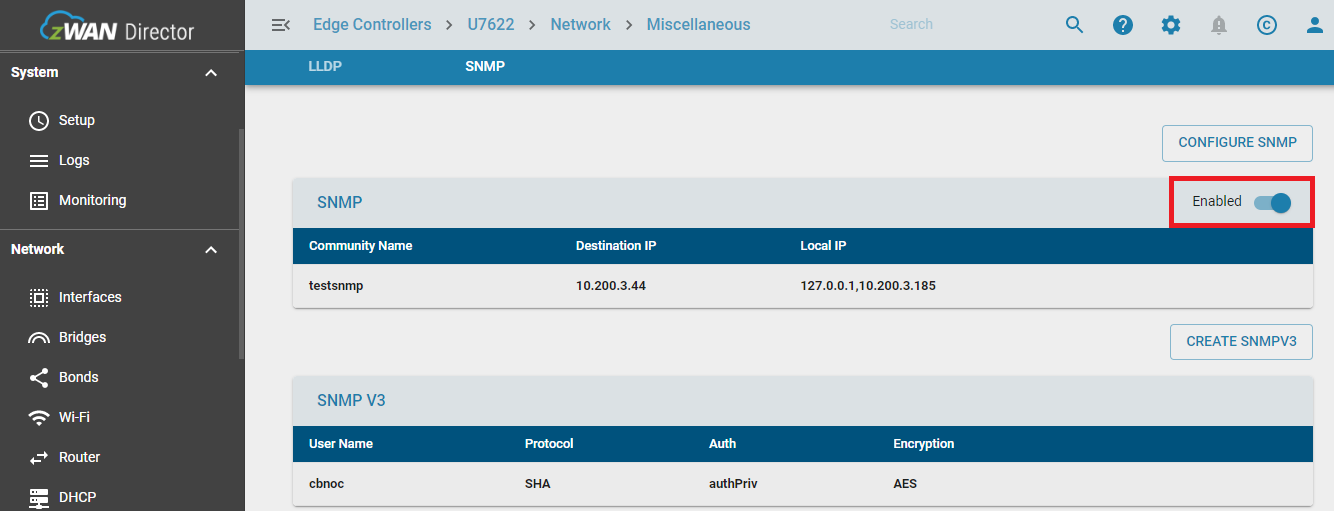
Enable SNMP:
- Enable the snmp.
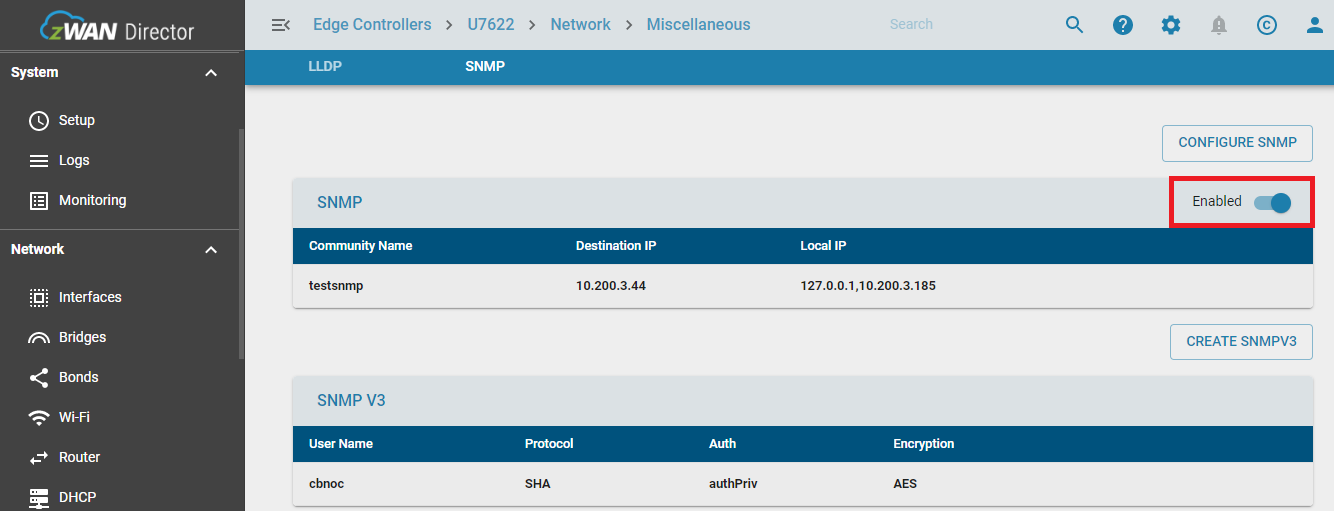
Disable SNMP
- Disable the snmp.
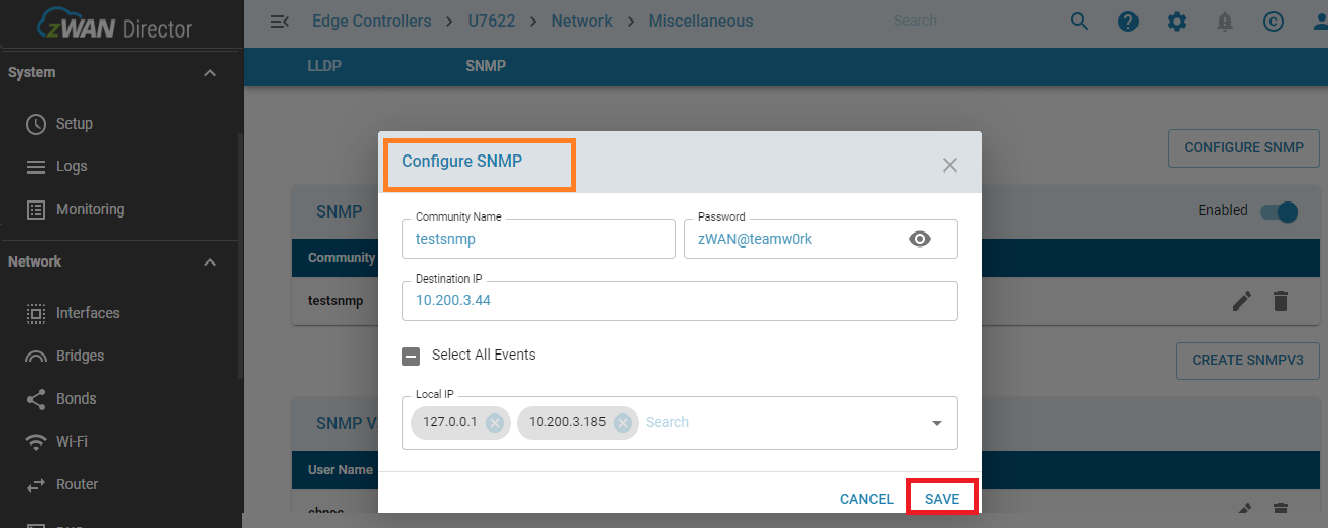
Edit SNMP:
- If user want to edit the configuration and update.
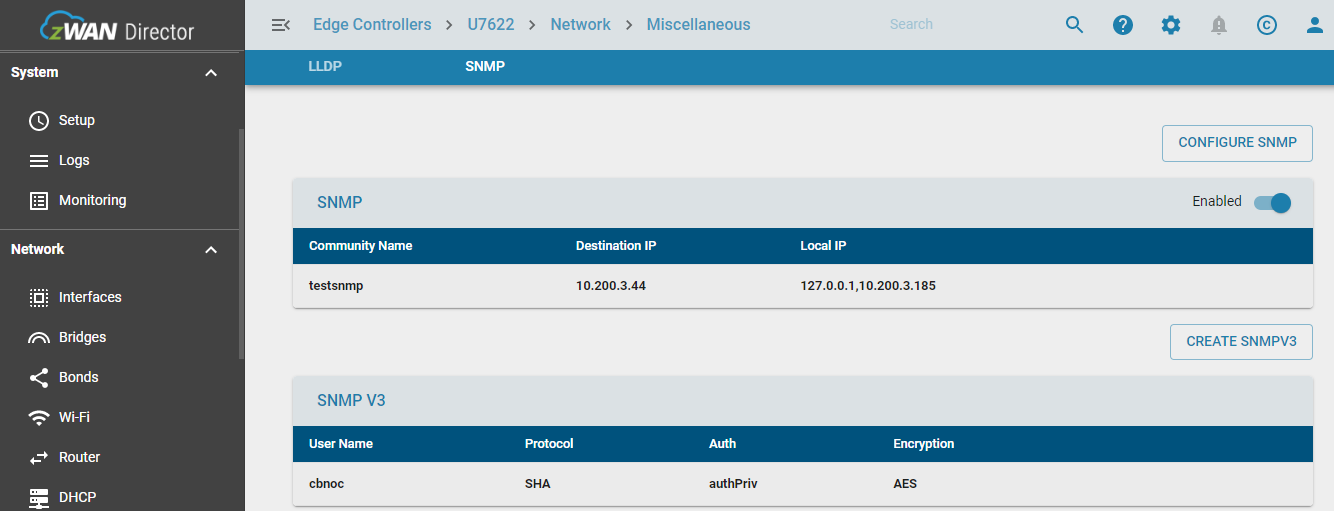
LIST SNMP/SNMPV3:
- It will show the status of SNMP service.
- will give configured details of SNMP.
- It will show SNMPV3 user info details.
SNMPV3 Configuration:
- For SNMP V3 Configuration need to configure the SNMP and status should be enable then configure SNMPV3
- Enter the username of snmpv3
- Enter the password for snmpv3 user
- Enter the authentication Protocol[MD5/SHA]
- Enter the autentication privacy[AuthPriv/AuthNoPriv]
- Enter the Encryption Protocol[AES/DES]
- Enter the Encryption Key
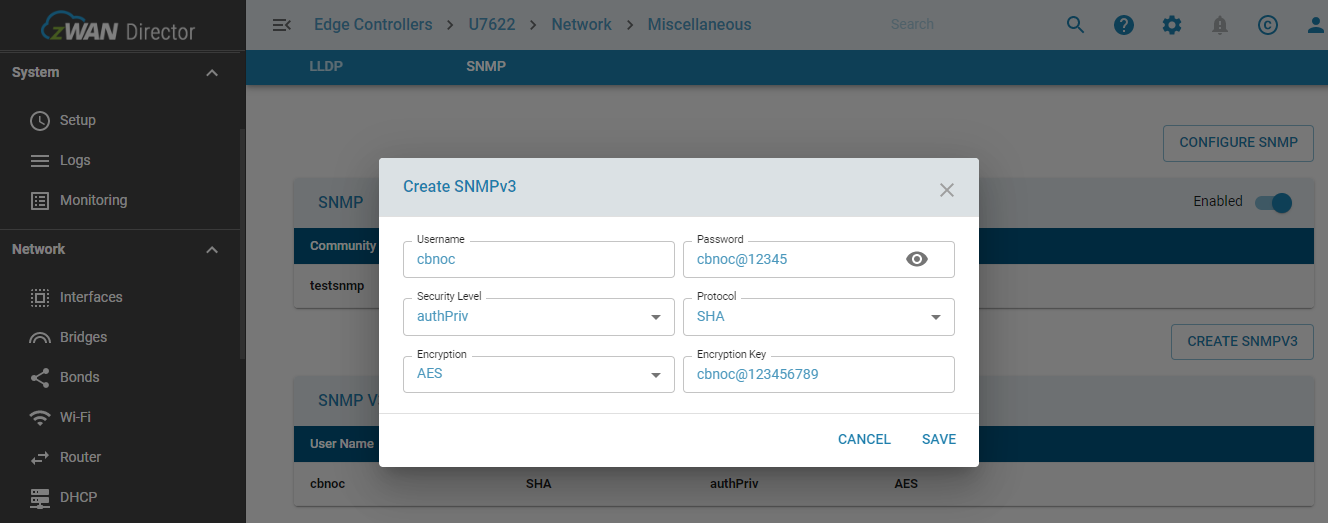
- authPriv - Communication with authentication and privacy. The protocols used for Authentication are MD5 and SHA ; and for Privacy, DES (Data Encryption Standard) and AES (Advanced Encryption Standard) protocols can be used.
- authNoPriv - Communication with authentication and without privacy. The protocols used for Authentication are MD5 and SHA
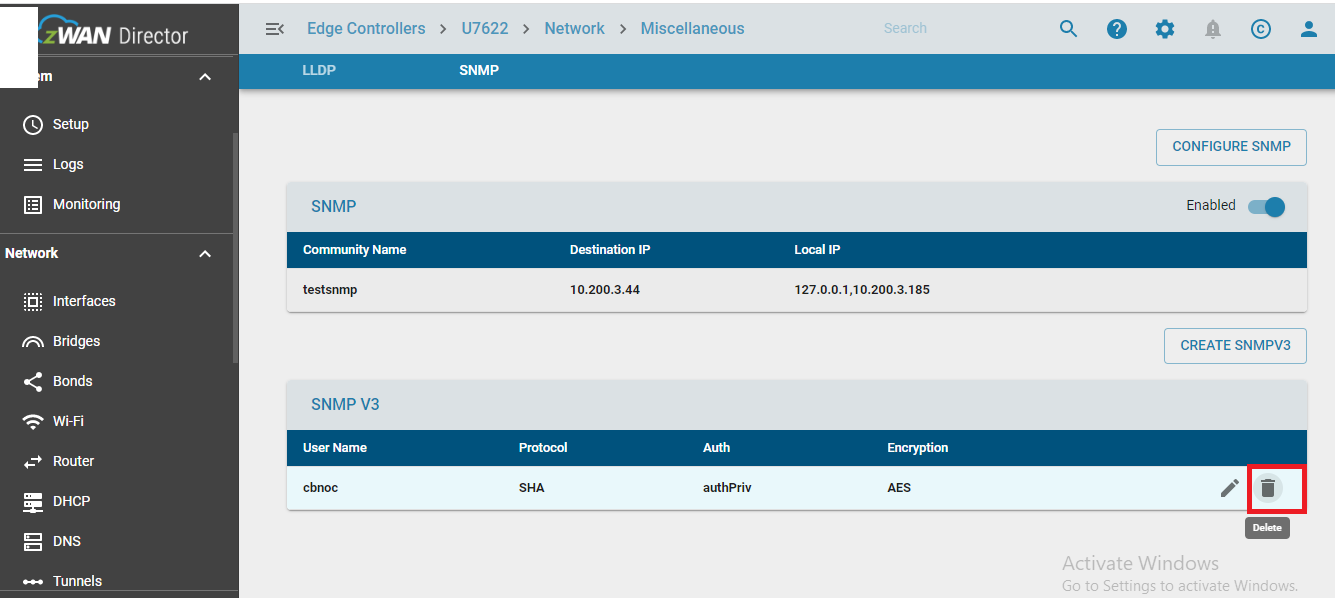
SNMPV3 Delete:
- Enter the username for deletion.
SNMP SERVER
Prerequirement:
- Install the 18.04 Ubuntu in a system.
- Check internet access is available to your system
Command For Installation Mib Browser And Java:
$apt -y install snmp-mibs-downloader
$sudo apt install default-jre- Or install above deb packages in ubuntu
- Become root user
Configuration SNMP Server:
$cd Downloads/ireasoning/mibbrowser
$./browser.sh
Custom MIB File Loading In MIB Browser:
- Download the custom MIB to the SNMP server. The MIB File can be obtained from Amzetta Support.
- Go to the MIB browser click on file -> load MIB's file > select MIB file -> click on open
Configuration Of SNMP Server:
- Go to the address field and enter AGENT address ip [WAN CPE IP]
- Set operation field as GET/GETBULK
- ON left side of MIB browser our custom mib file loaded in browser
- Click on + icon so it will show the MIB File arrangement .
- Keep on click on + icon all the MIB file content able to see all content.
- Click on info object of MIB file,once click info OID will come in OID field of MIB browser
- Set operation as GETBULK after that at right most go option is there so once click
- All the basic information it will list .
OBSERVATION OF TRAP:
- Go to the MIB browser->Click on Tools-> click trap reciver -> trap reciver window will open
- Once trap generate from agent it will send to server ,trap will come with OID.
- Click on trap ->more info about trap will get.
Note:
- We can use server across many different agent , but each agent only supports one server.
- SNMP Server should be accessible from agent.
- We can follow above doc for webui/ProviderUi as well as Secureshell
Table of Contents