
-
SnapOS
-
-
- Articles coming soon
-
-
-
- Citrix HDX + USB Headset (Call-Center Baseline)
- OS/Firmware Update & Rollback
- Power Management and Session State
- Wi-Fi Roaming & Link Change Mid-Session
- Kiosk / Assigned-Access Auto-Launch
- Barcode Scanner (HID) with Line-of-Business App
- Printing to Local USB & Network Printers
- USB Device Management – Block Storage
- Multi-Monitor & 4K Performance
- Microsoft AVD/RDP + Teams Optimized Video
- VMware Horizon + Smart Card / CAC Login
-
-
-
-
zWAN
-
-
-
-
- Firewall & Layer 7 Application Filtering
- VPN Site-to-Site Tunnel Setup & Connectivity (z40 to Cloud vGR)
- Intrusion Prevention System (IPS) / Intrusion Detection System (IDS) Testing
- DNS Filtering
- DDoS Protection & Logging
- MAC Address Filtering & Geo-fencing
- Application Control & Protocol Blocking
- Authentication & Access Control (zID)
-
- WAN Link Failover & Load Balancing (ACI Mode)
- Dynamic Path Selection & Application-Aware Routing
- SaaS & Internet Breakout Validation
- QoS for Microsoft Teams (Datacenter vGR + Branch z40)
- Tunnel Failover (z40 ↔ vGR) — WAN00 (wired) primary, WAN03 (4G) & WAN04 (5G) backups
- IP Routing & Static Route Steering (z40 Branch)
- VLAN & Layer-2 Bridging
-
-
-
-
-
-
- Articles coming soon
-
-
-
-
- Articles coming soon
-
- Articles coming soon
-
-
-
-
-
-
- Articles coming soon
-
- Articles coming soon
-
- Articles coming soon
-
- Articles coming soon
-
-
-
-
-
- Articles coming soon
-
- Articles coming soon
-
- Articles coming soon
-
- Articles coming soon
-
-
-
-
-
- Articles coming soon
-
- Articles coming soon
-
- Articles coming soon
-
- Articles coming soon
-
-
- Articles coming soon
-
- IPsec Tunnel not Establishing
- SSL-VPN Tunnel not Establishing
- Mobile Network Issues
- Management Tunnel does not Establish
- DNS not Resolving from Local Network Appliance
- DNS Resolution Issues in Tunnel Configuration
- DHCP Server not Leasing IP to LAN PC
- Debugging EC Events - Unknown Status Issue
- Trusted-MAC Geofencing Issues
- DNS Issues from DC LAN PC
- Troubleshooting LAN Connectivity to Internet via WAN, Remote Branch LAN, or Local Branch LAN
- NetBalancer gateways displaying Faulty/Inactive
- Packet Drop Issues
-
-
zAccess
-
StorTrends
Print
Station Mode
Overview
zWAN stack creates Wi-Fi Station mode interface SWANXX for every supported Wi-Fi hardware device {phyX/wlanX} enumerated in the startup. Station Mode (STA) is the normal mode for a Wi-Fi device, EC device uses Station Mode to join a wireless network that already exists and provides WAN/Internet connectivity to the EC along with Ethernet and LTE.
Interface Related To Wi-Fi Station Mode
Station mode Wi-Fi interface SWANXX is mapped to the WANXX alias name on the interface list.
Wi-Fi STATION MANAGEMENT FUNCTIONALITY
- Scan Wi-Fi Networks
- Configure Wi-Fi Network
- Connect to Wi-Fi Network
- Disconnect from Wi-Fi Network
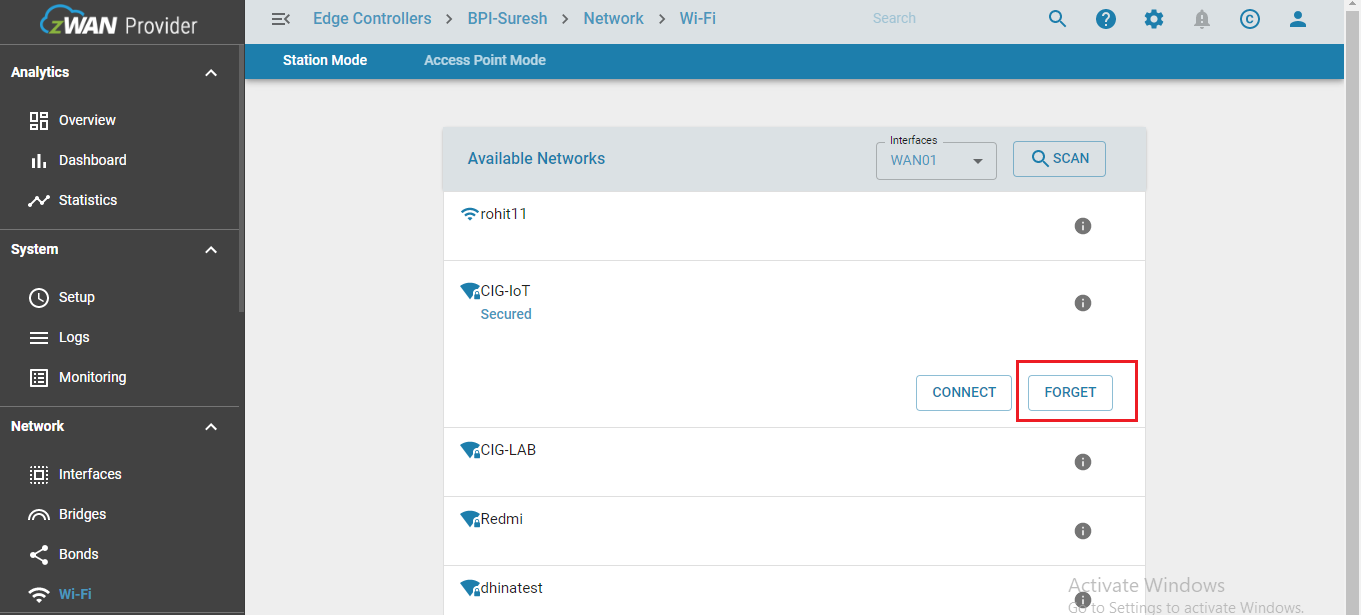
- Delete/Forget Wi-Fi Network
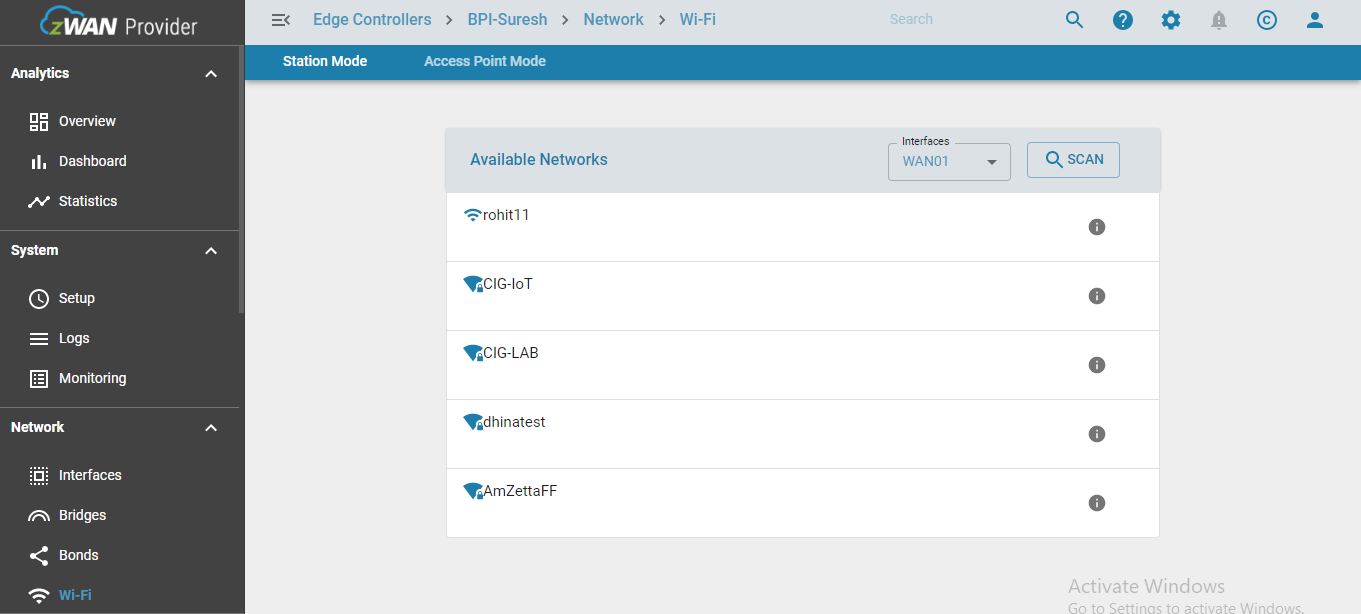
Scan Wi-Fi Networks
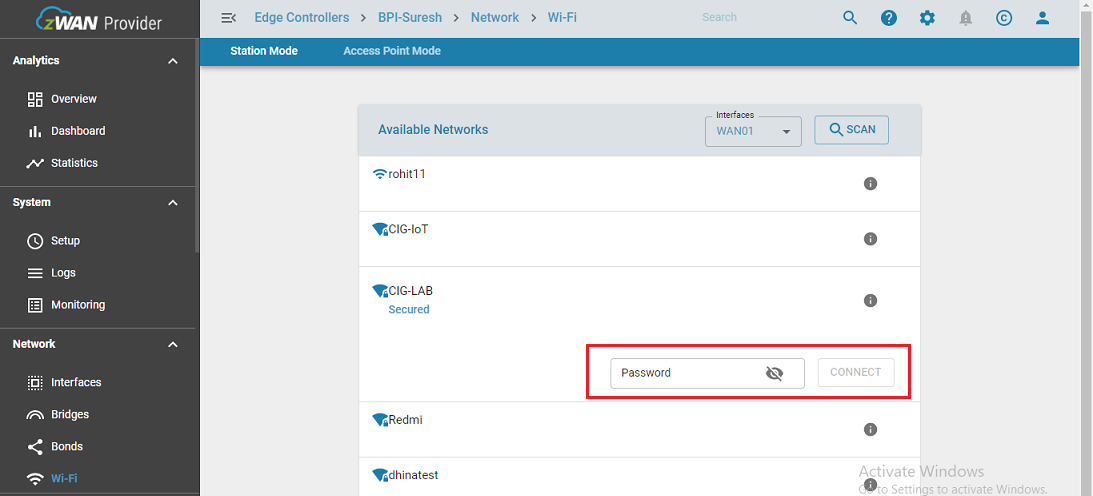
Configure Wi-Fi Network
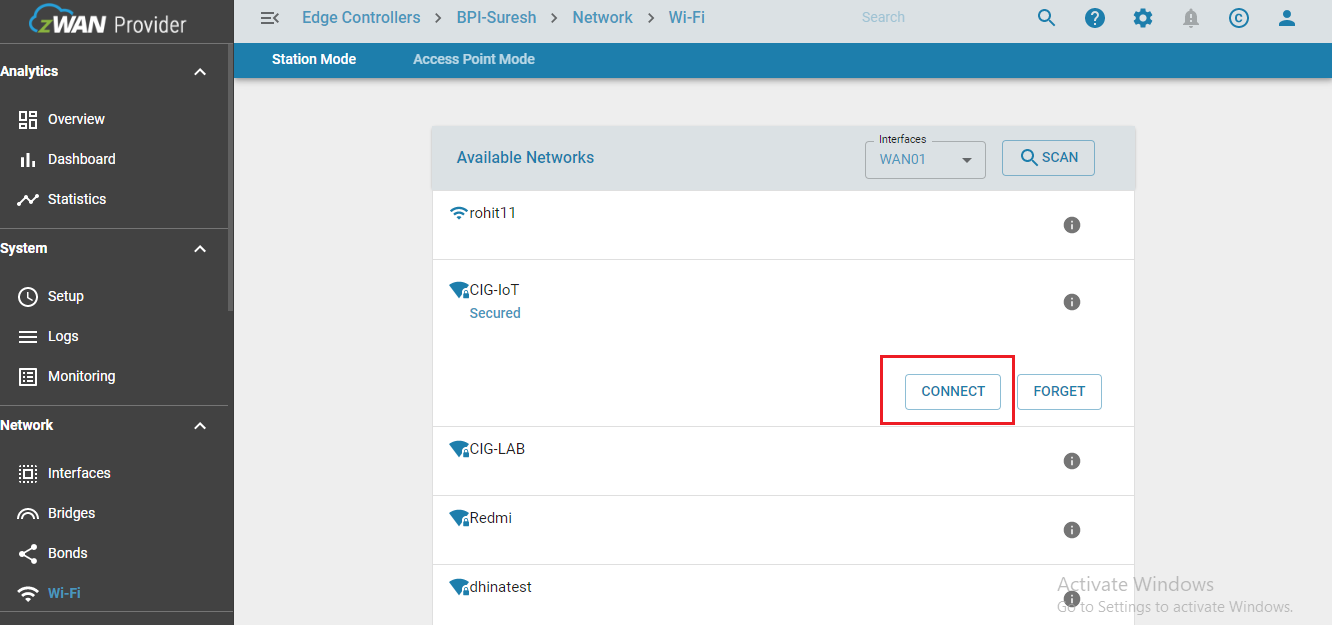
Connect to Wi-Fi Network
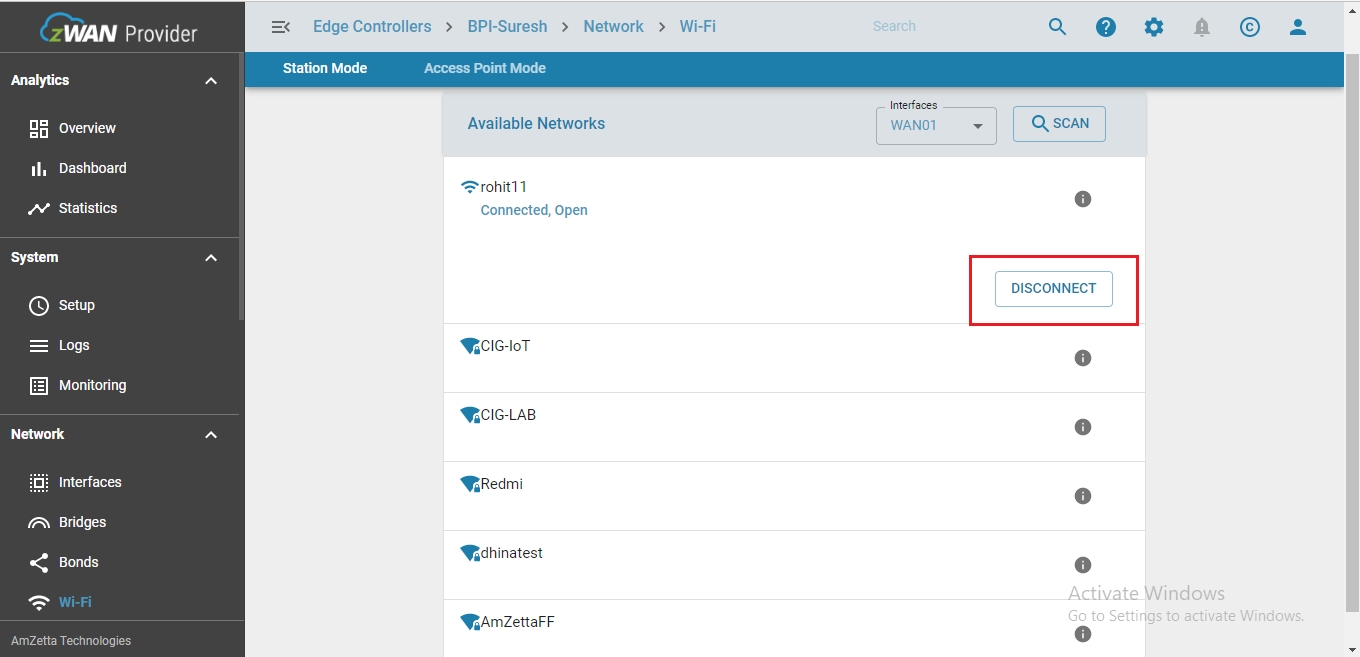
Disconnect from Wi-Fi Network
Delete/Forget Wi-Fi Network
KNOWN HARDWARE LIMITATIONS - MT7622 SOC -802.11agn 2.4 GHz channels (1- 11/14)
- If AP mode enabled on a particular frequency channel and Station mode wants to connect to a particular Wi-Fi network with different frequency channel, this hardware does not support such combination, both AP and Station mode should work on same channel all the time.
To work around this limitation, whenever stations mode configure/connect API is called, AP mode is temporarily stopped and restarted with same channel selected by the Station.
Table of Contents